AWS S3 Tables: turn big data into insights in one click
Customers were spending millions building and maintaining complex infrastructure for AI/ML workloads. I led the UX for a 20-person team to design S3 Tables, a new product 

 to eliminate that complexity, from concept to launch in 8 weeks.
S3 Tables, featured in the 2024 AWS CEO keynote, handles infrastructure automatically, providing a seamless console experience that lets teams turn big data into insights in seconds.
01Who, why, and what
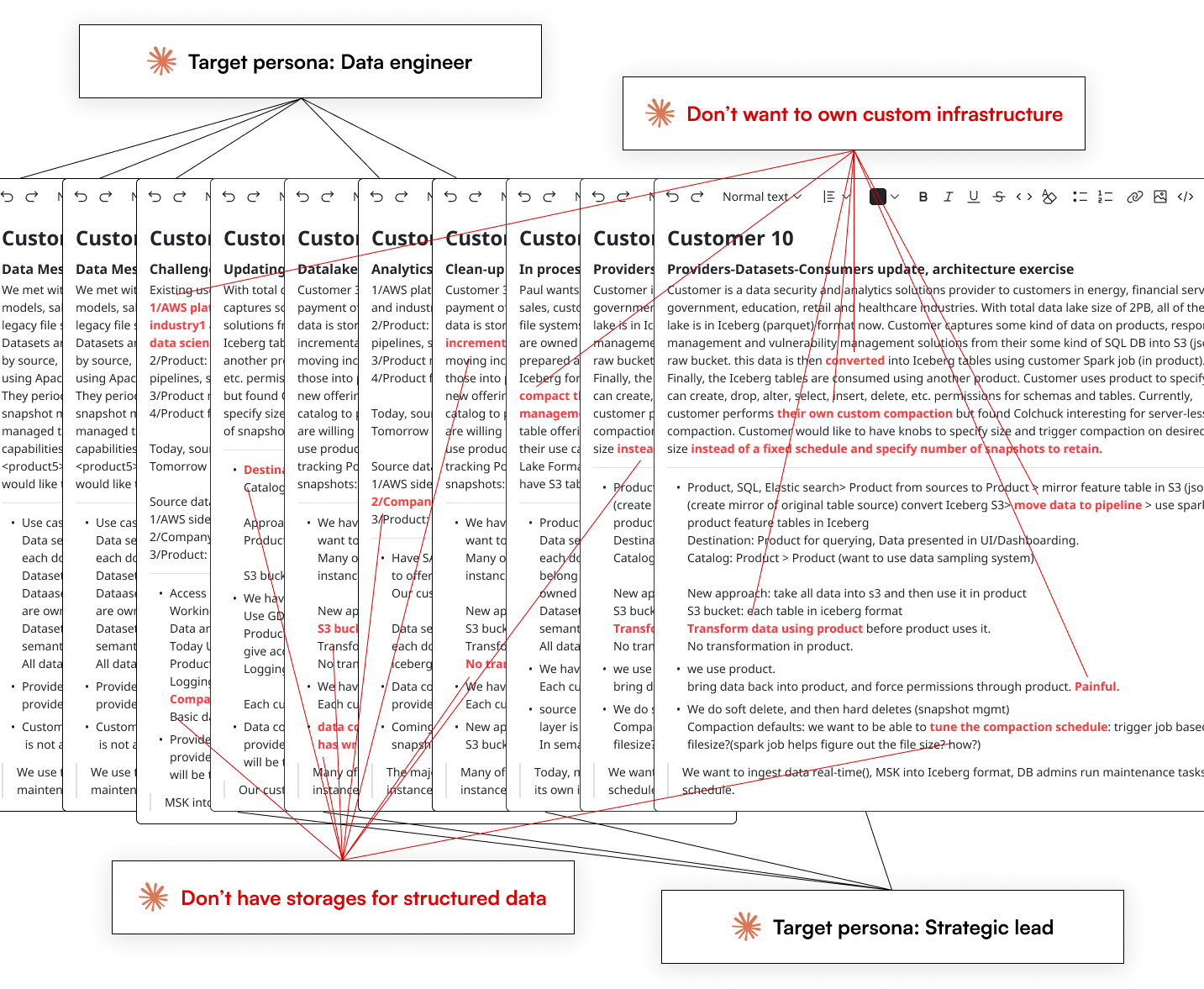
20+ interviews revealed that customers 




 don't want to store structured data in unstructured storage while maintaining custom infrastructure. They need a solution to streamline storage operations so teams can focus on data querying. I documented the existing user journey and major pain points, proposed an ideal user journey, then adapted the AWS JTBD framework to give the team a shared language for strategic scope trade-offs. After reviewing the JTBD framework, the team aligned on the product launch plan in one week.
Research
While working with 1 researcher and 3 PMs, I used internal AI tools to synthesize transcripts from 20+ enterprise customer interviews, and the outcome revealed who we are designing for and their respective pain points.
Target personas
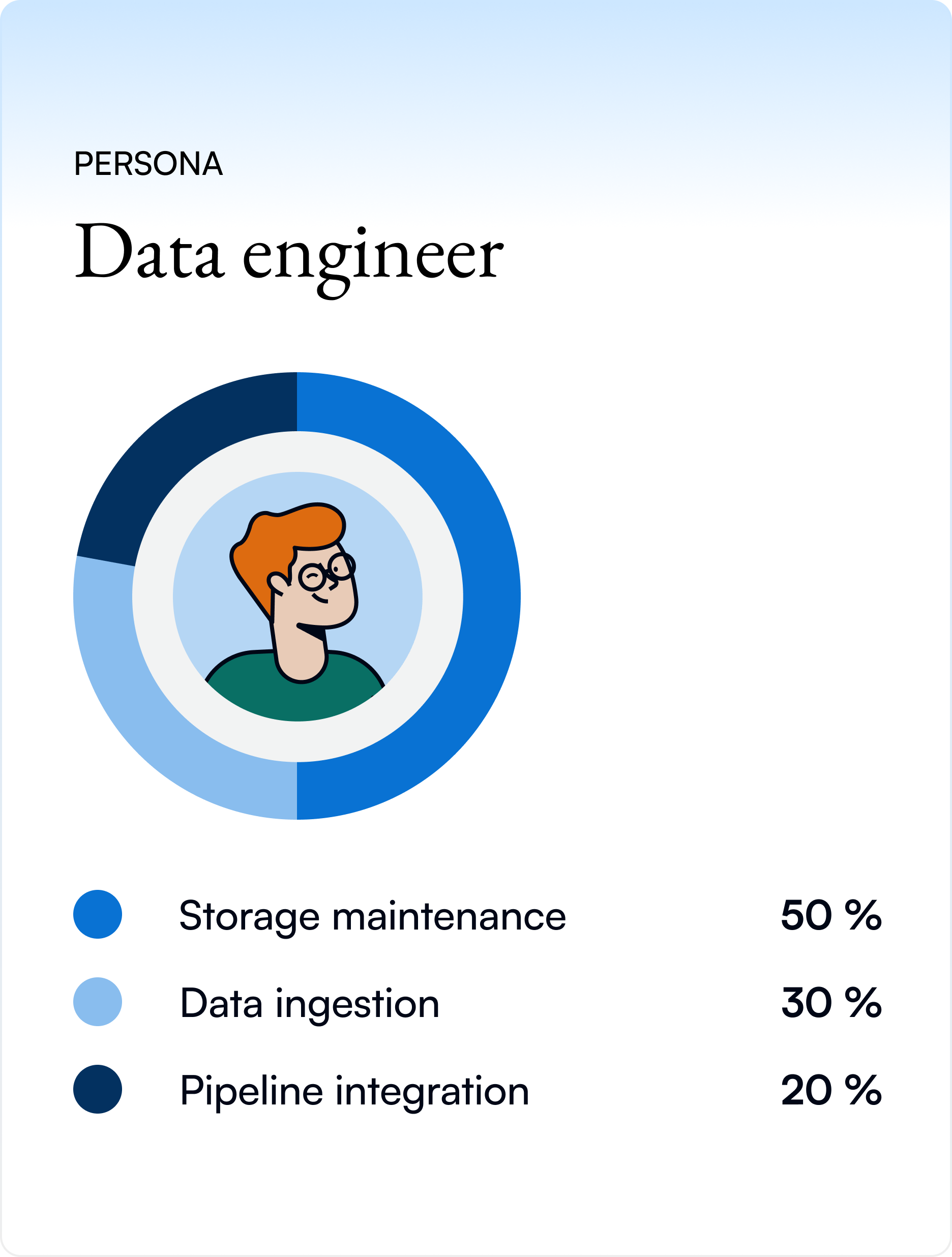
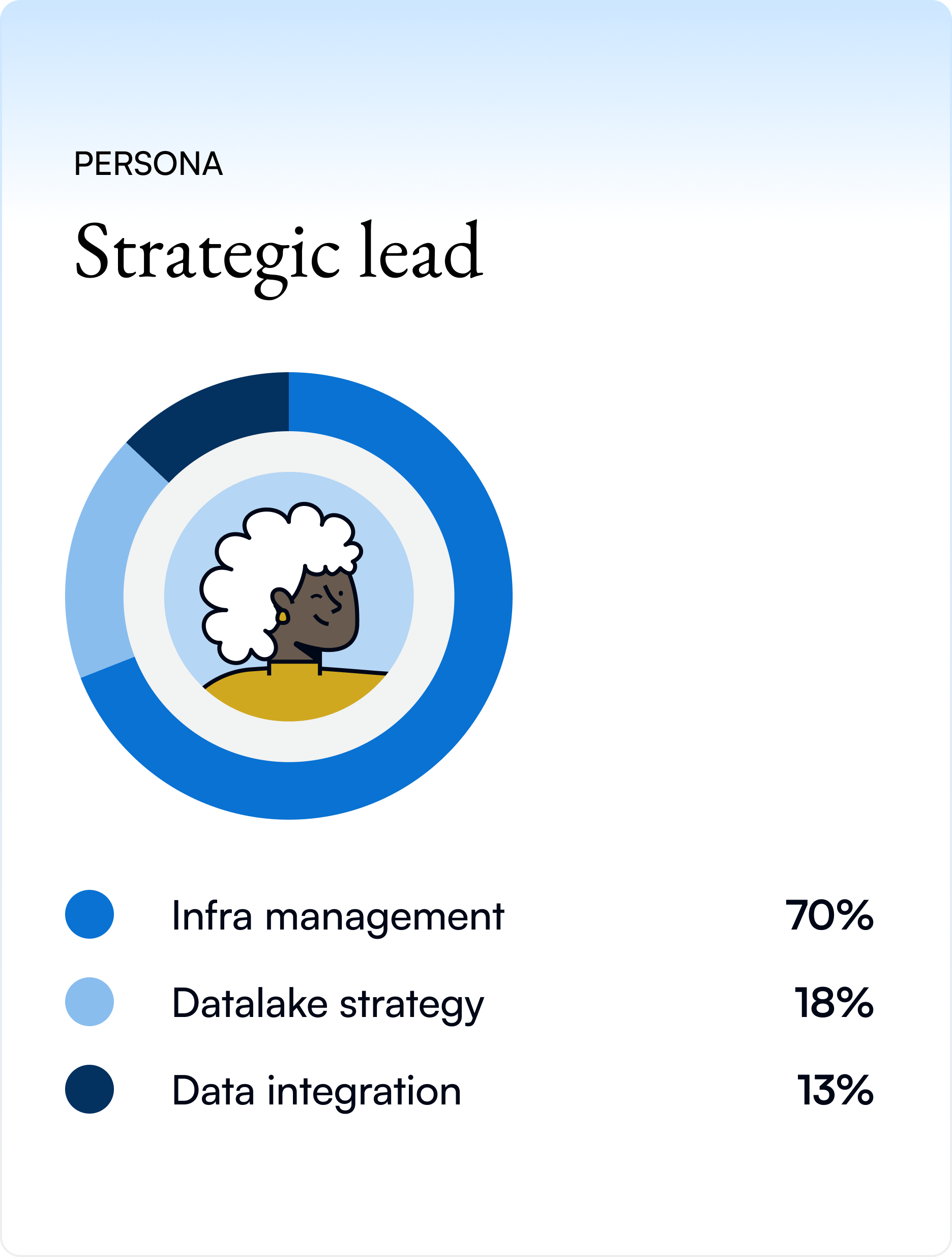
Data engineers maintain storage systems daily. Strategic leads evaluate infrastructure costs and reliability.
Existing user journey with pain points
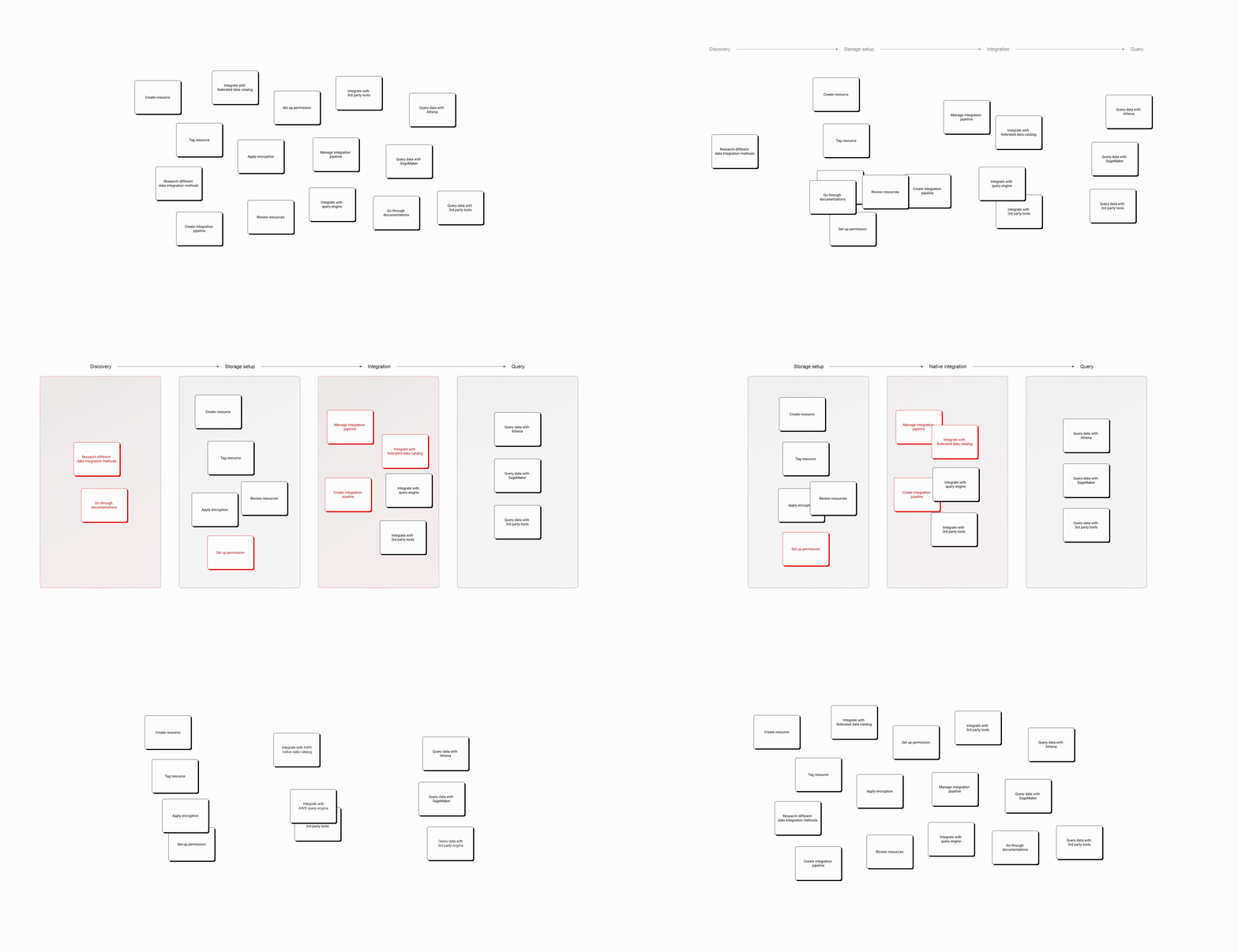
I mapped the user journey into phases to surface the highest-friction tasks, guiding the team to align on priorities to act on. The user journey shows that millions are wasted on custom infrastructure and integration with query engines, while no native way to keep structured data up-to-date.
JTBD Framework
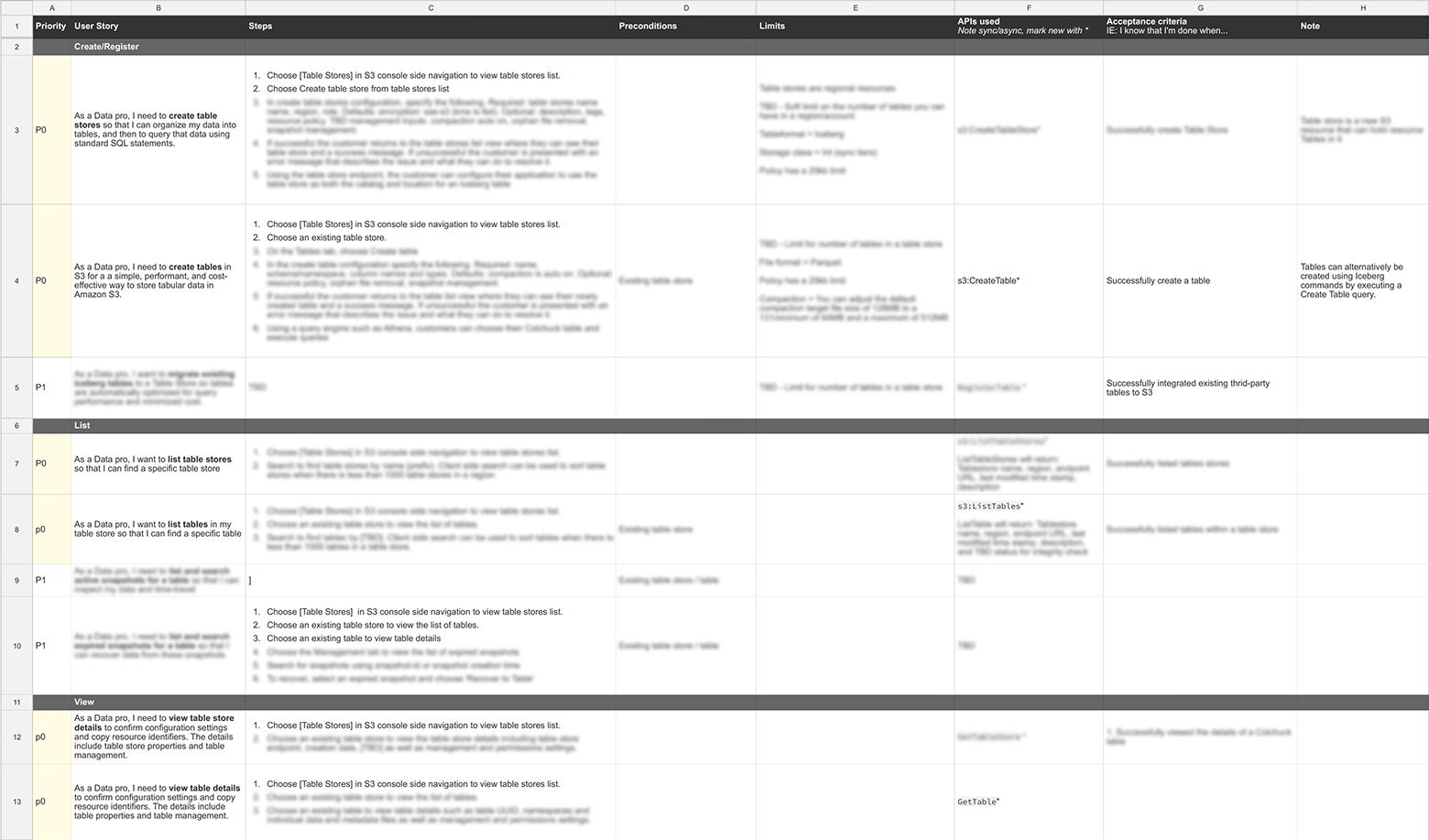
I first worked with the team to identify all user stories based on the JTBD framework, then mapped each story with its console steps, preconditions, and APIs to six groups: Create, List, View, Manage, Audit, and Delete.
Action plan
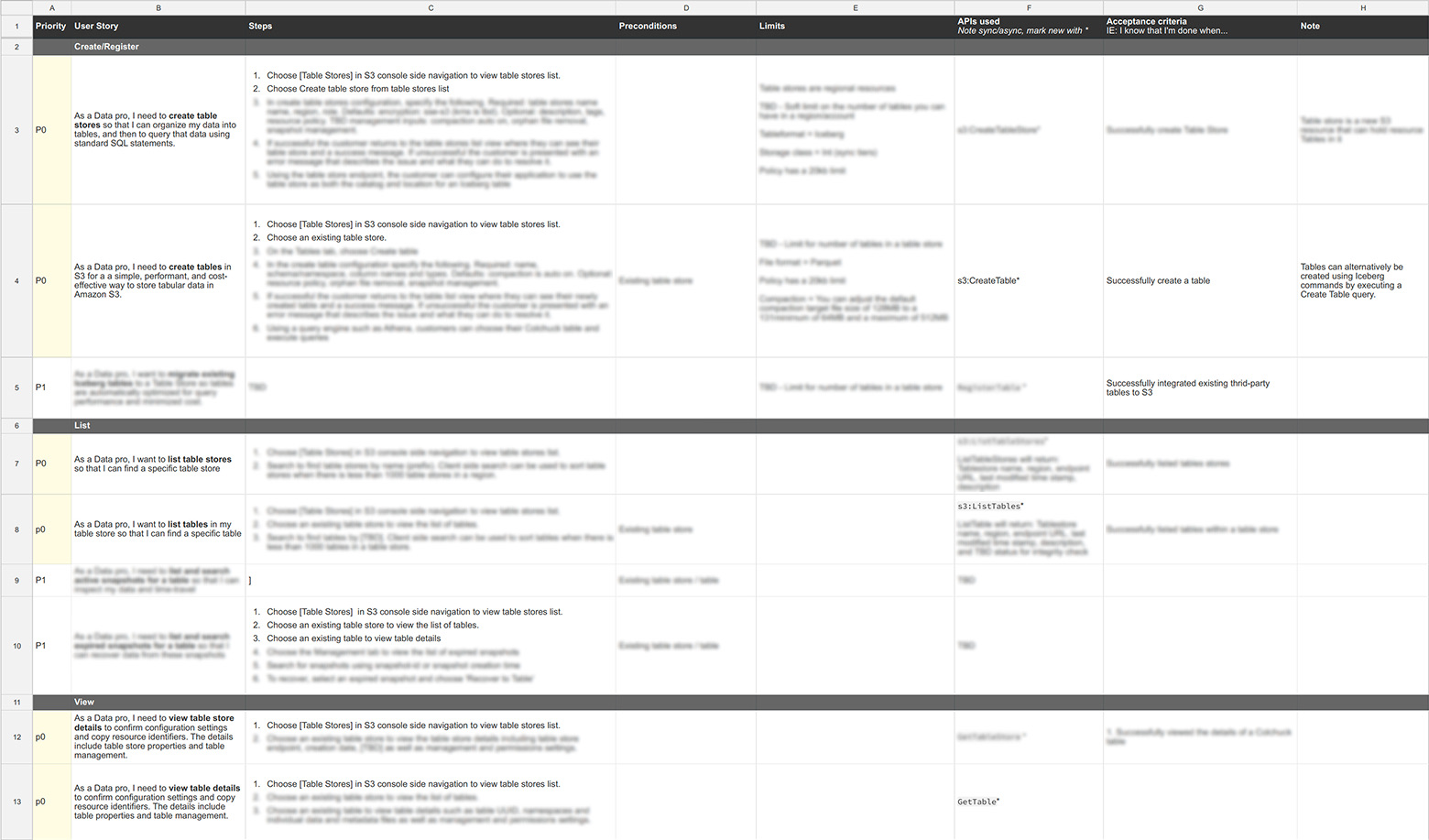
The framework allowed the team to align on a prioritized action plan with defined APIs, known limitations, and console impact, turning an ambiguous product space into a concrete roadmap. From there, we scoped the first launch to Create and Integrate.
02Define the foundational user flow and IA
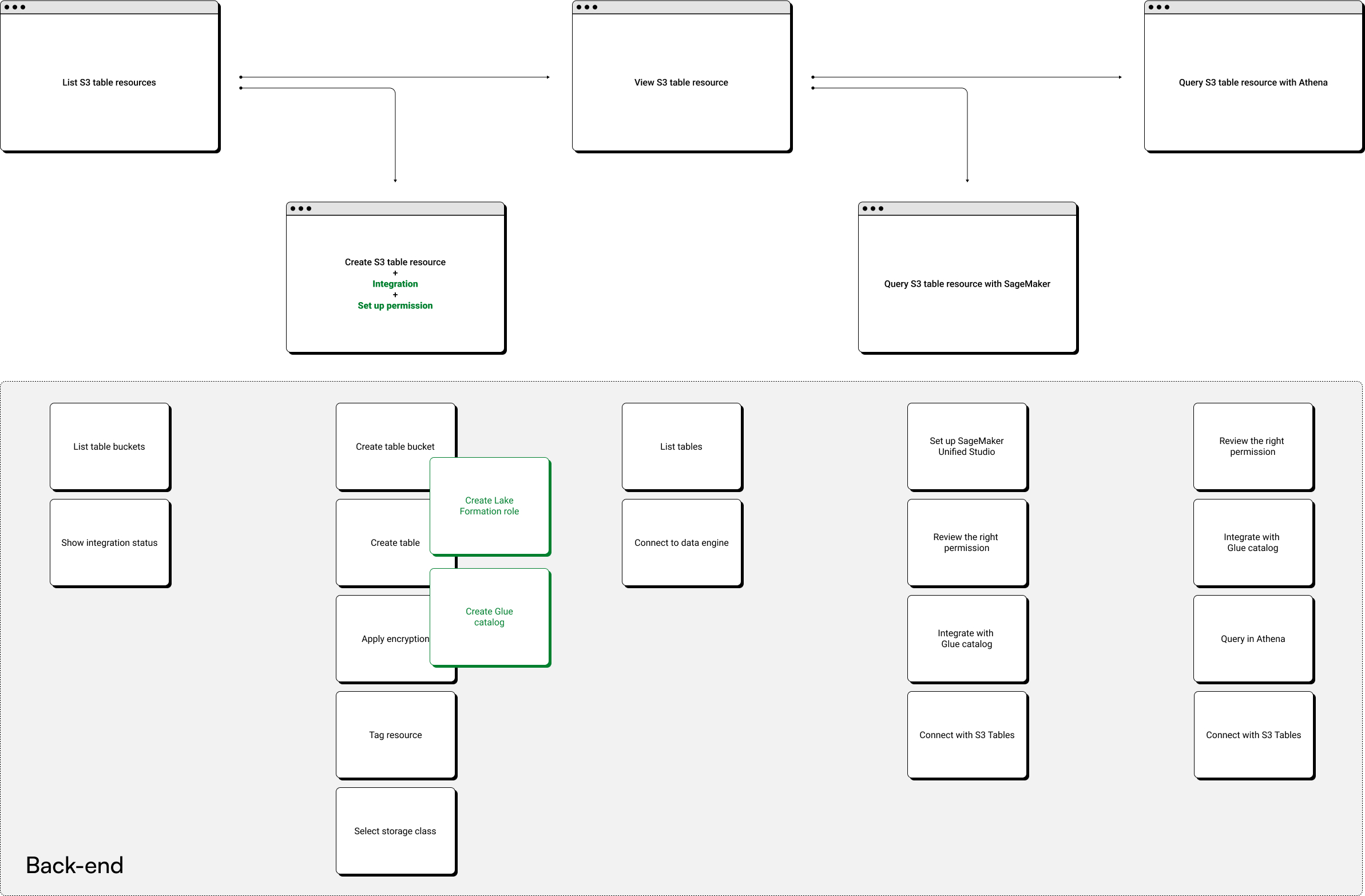
With scope locked, I turned the optimized journey into the console's structure. I defined an information architecture that groups tasks the way customers think, drafted the end-to-end flow, then tested and refined it until the path from setup to query was clear.
User journey optimization
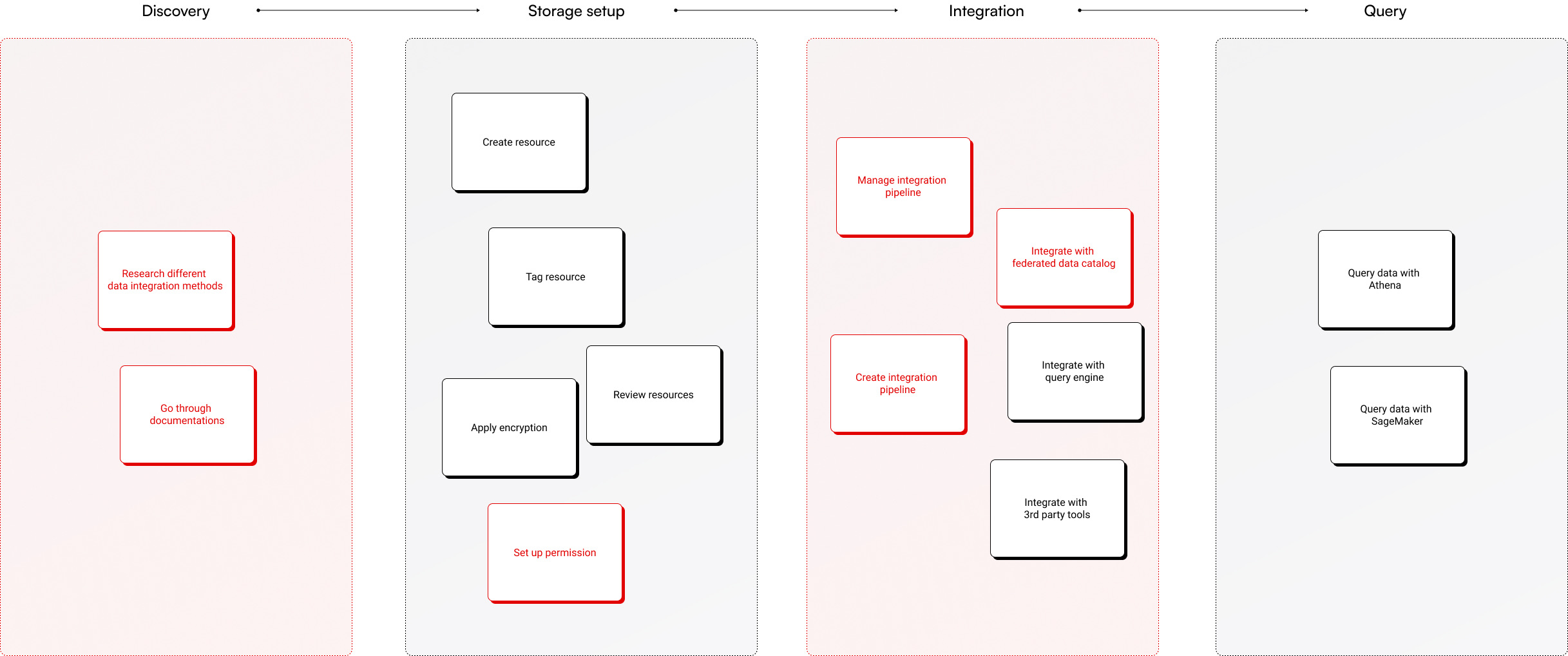
Building on the documented journey and its pain points, I reorganized the necessary actions into logical phases, cutting the journey from 4 milestones to 3 and removing 6 user actions that S3 Tables could automate.
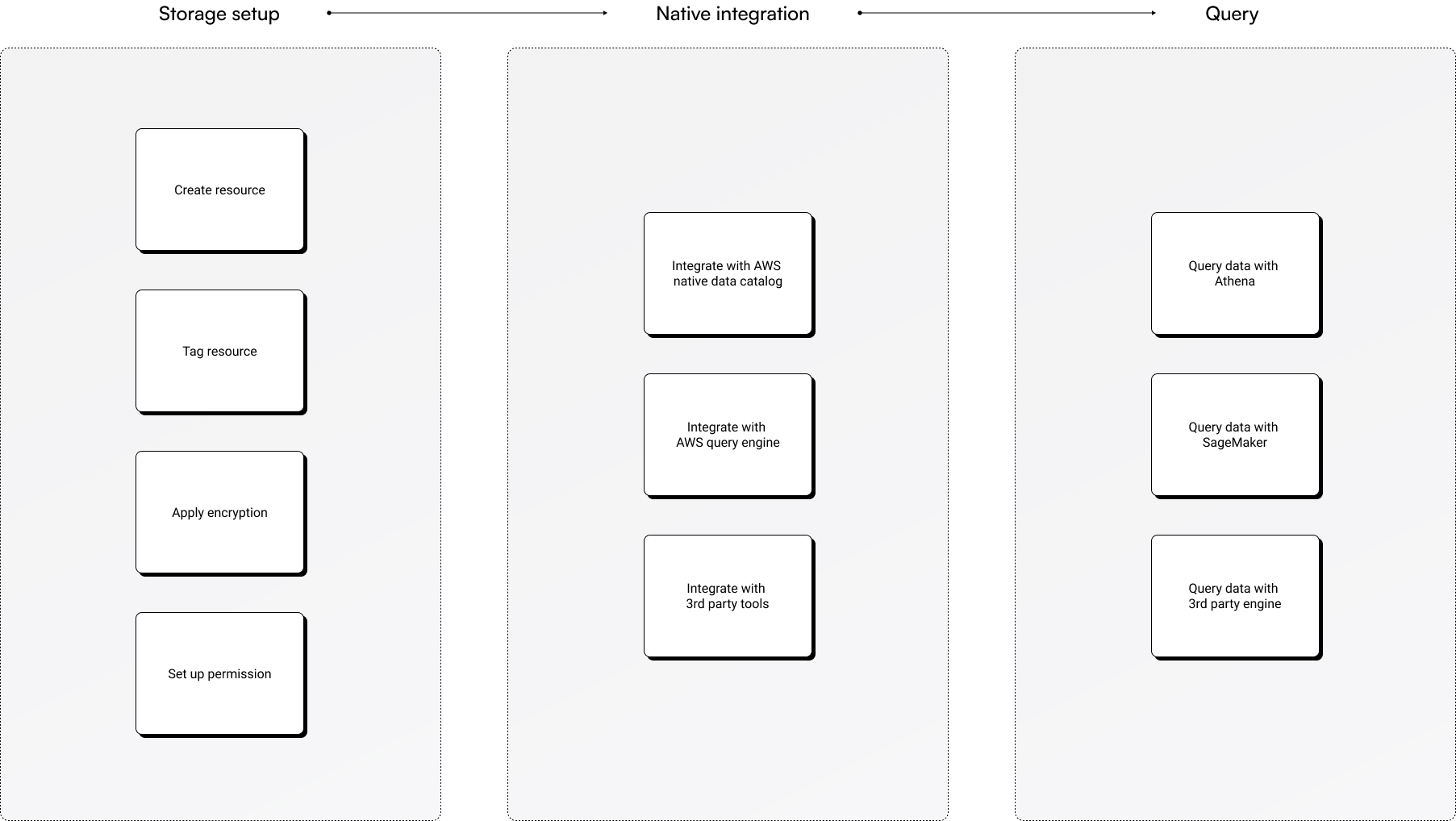
Console information architecture
I ran two workshops with the PM and engineering teams to define and align on the console's information architecture.
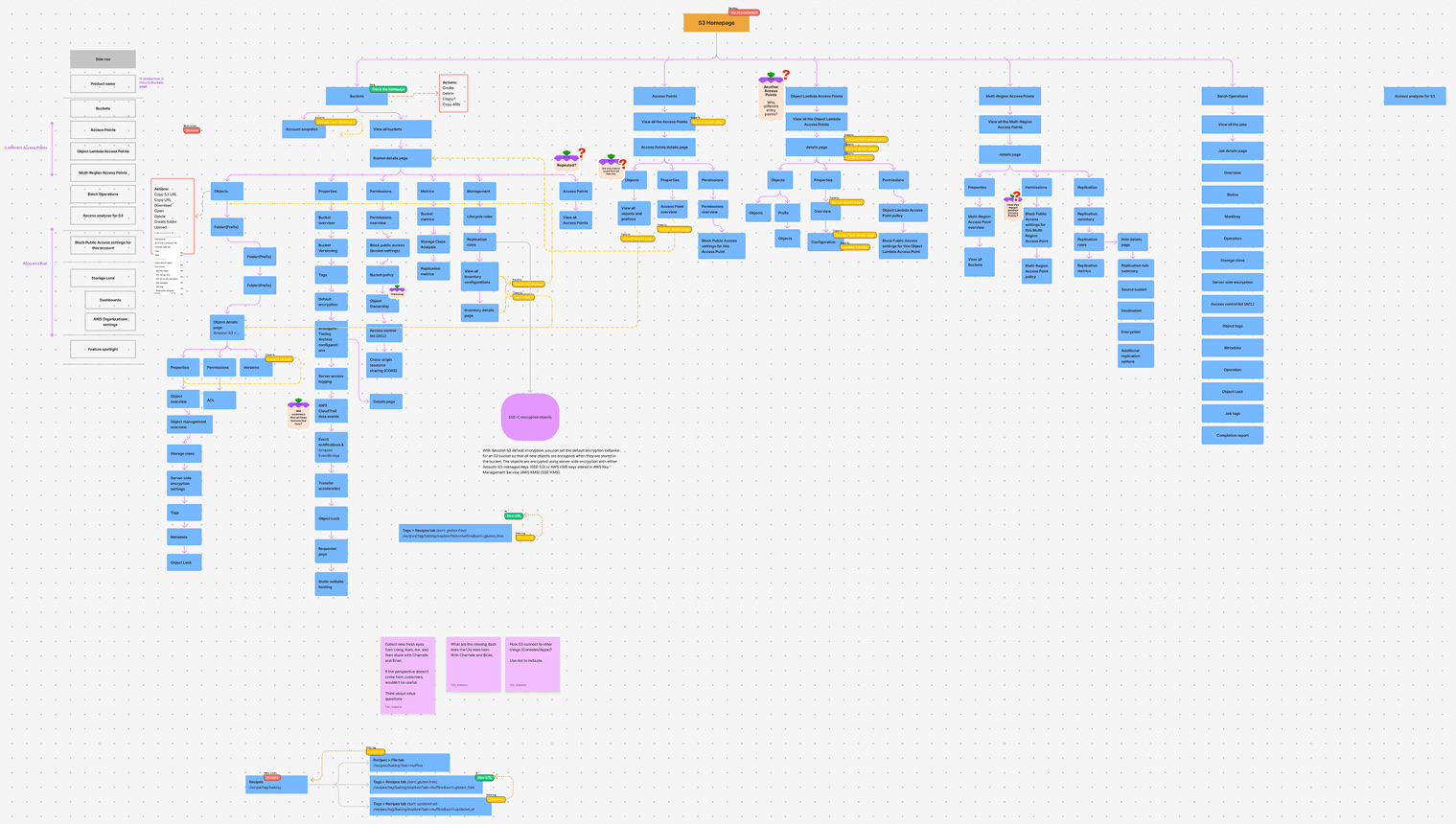
Console flow exploration
Grounded in the ideal journey and the defined IA, I explored several console flow options. Testing with internal teams surfaced the core issue: separate integration steps made the flow confusing and fragile. Testers often didn't know where to set up the right permissions or which services to integrate with, and they wanted S3 to handle integration and permissions together.
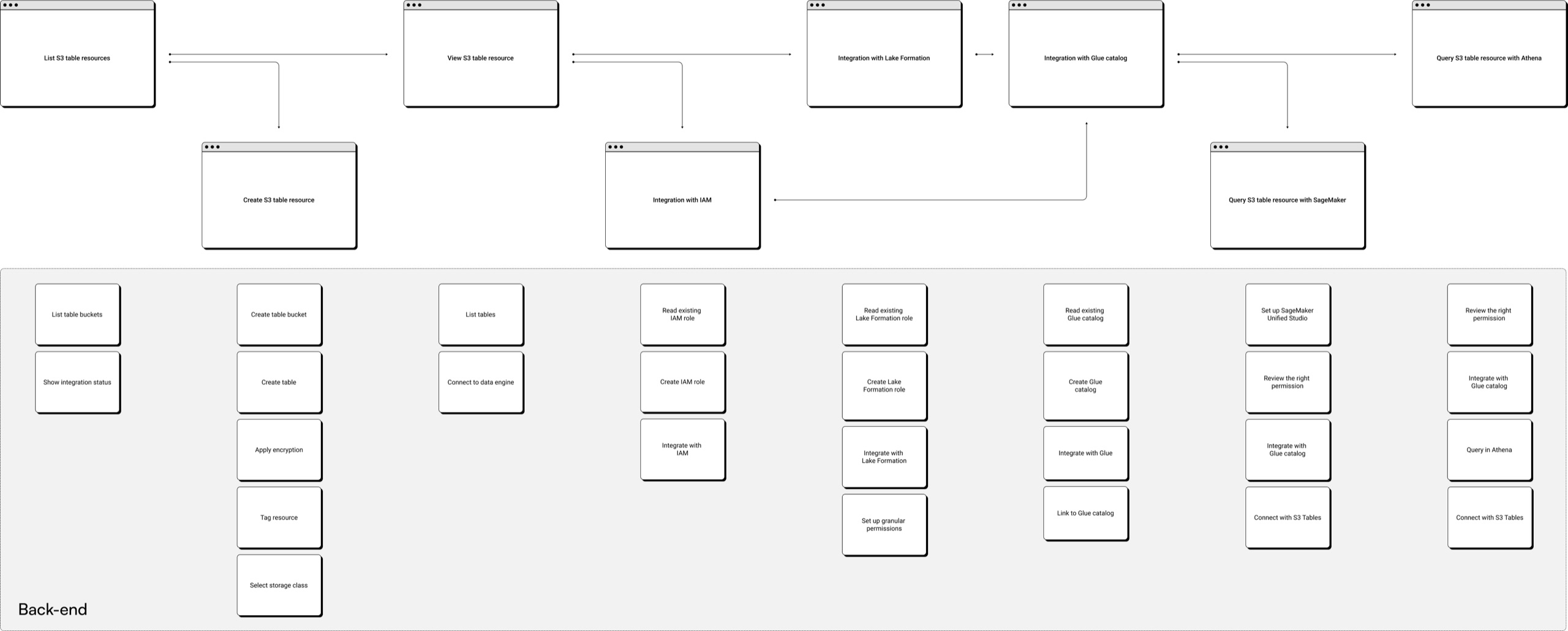
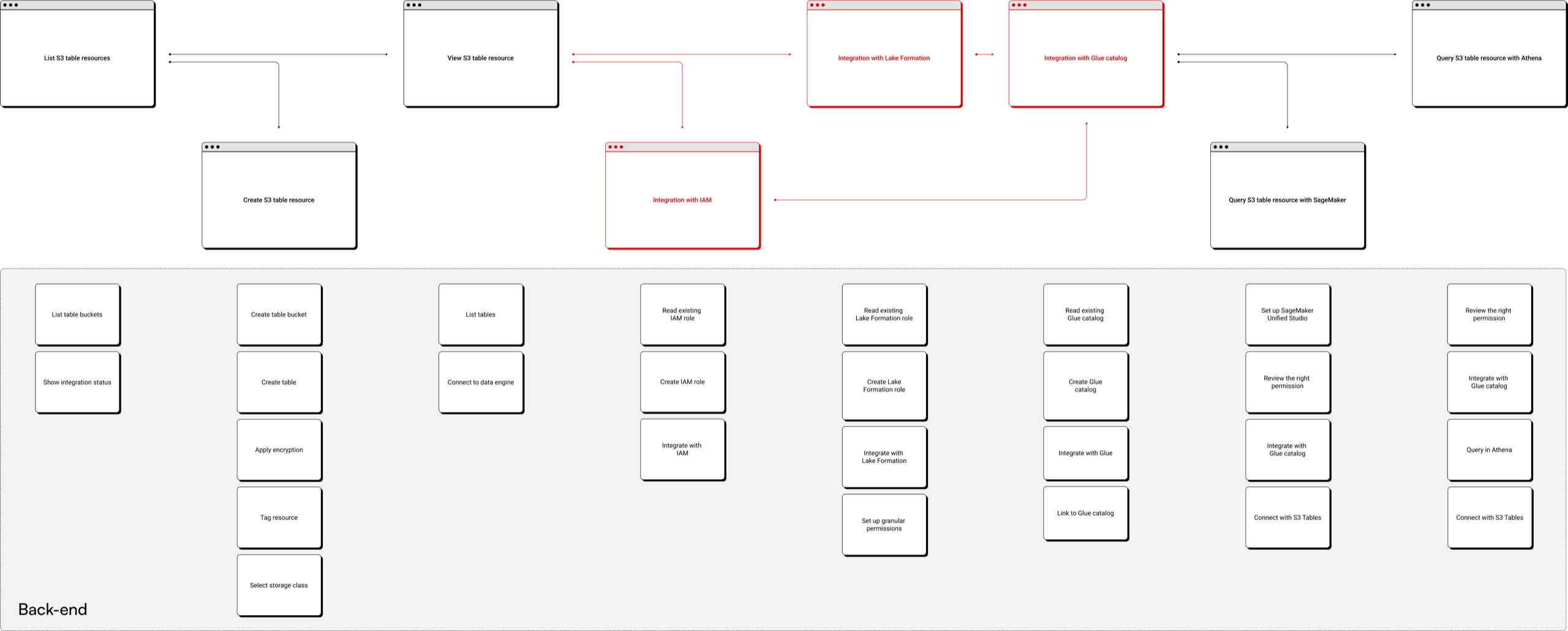
User flow optimization
Acting on that feedback, I combined the separate integration steps into one, merging integration, permission setup, and resource creation into a single consolidated flow. Customers now complete several actions in one pass, cutting configuration time drastically for a more cohesive console experience.
03Design evolution
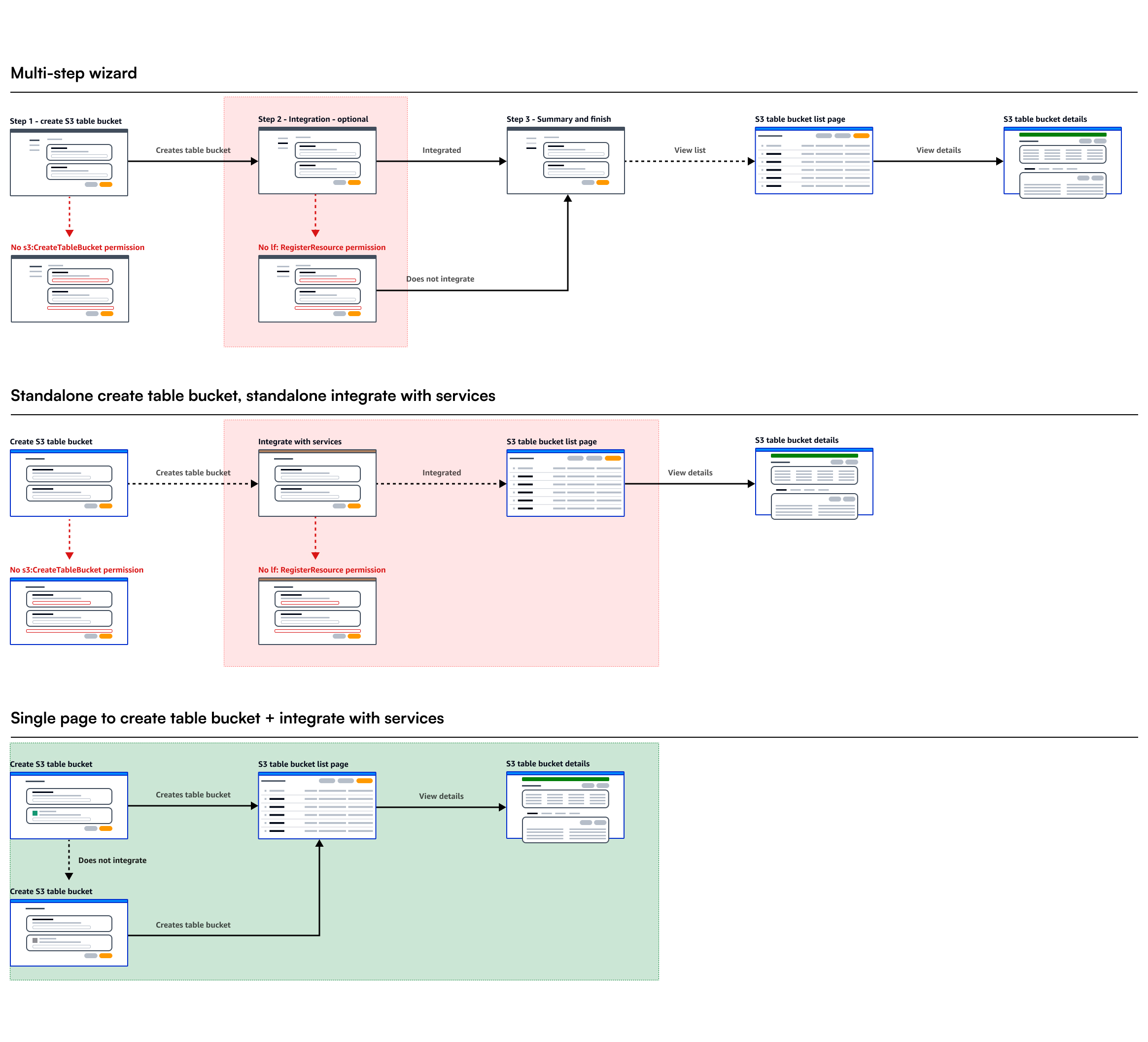
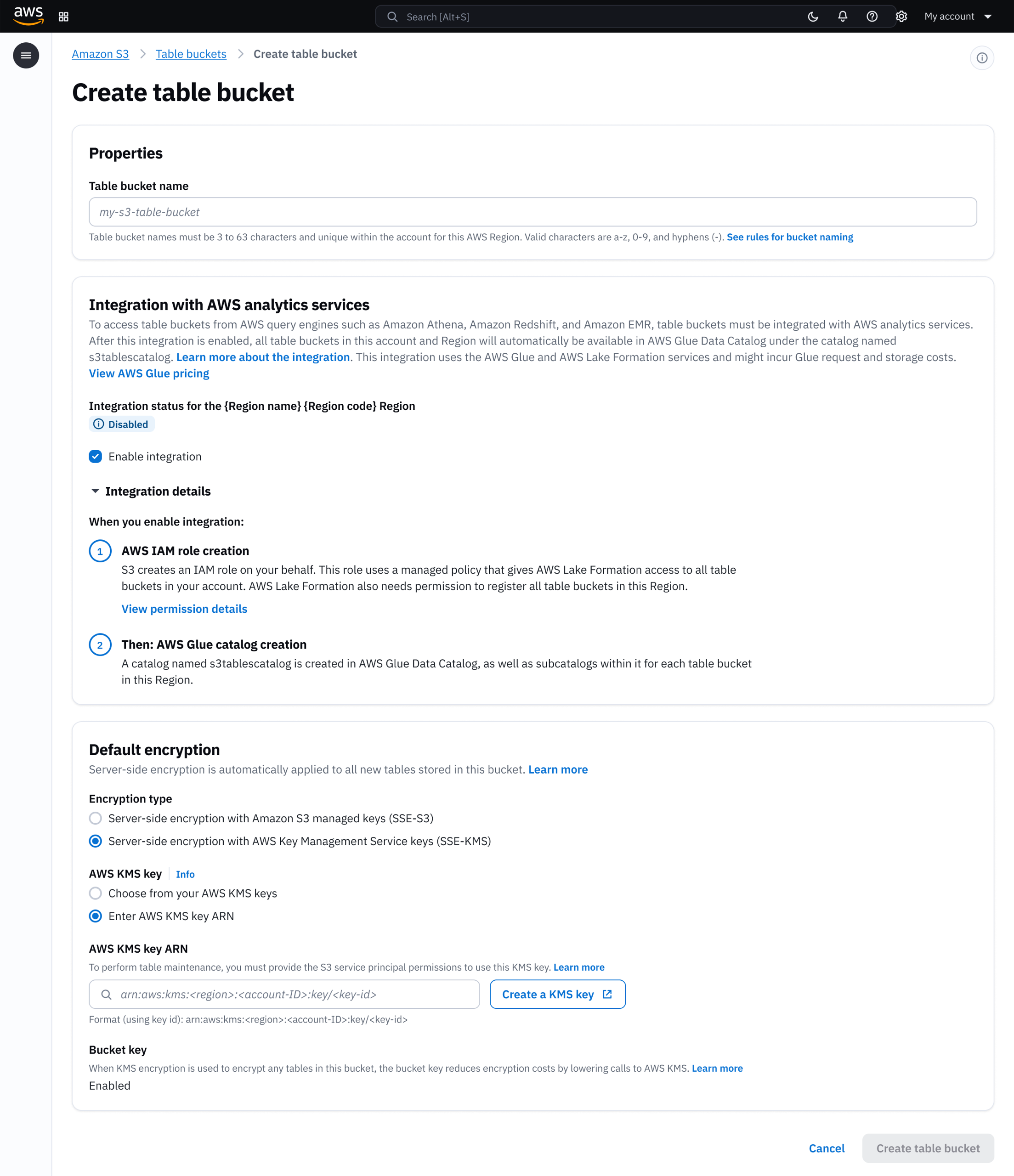
Integration across multiple services needs to be seamless. After testing three options, I persuaded the team to combine integration with table bucket creation as a default-on setting. 97% of customers never turned it off.
Design ideation
I tested three integration models: a multi-step wizard that walked through each service, a fragmented approach with separate configuration pages, and a single-page create flow with integration built in.
Trade-offs
The wizard added friction to what should feel instant. The fragmented model scattered a single decision across multiple pages. Customer research showed most users' end goal was querying, so bundling integration into table bucket creation matched their mental model.
Component modernization
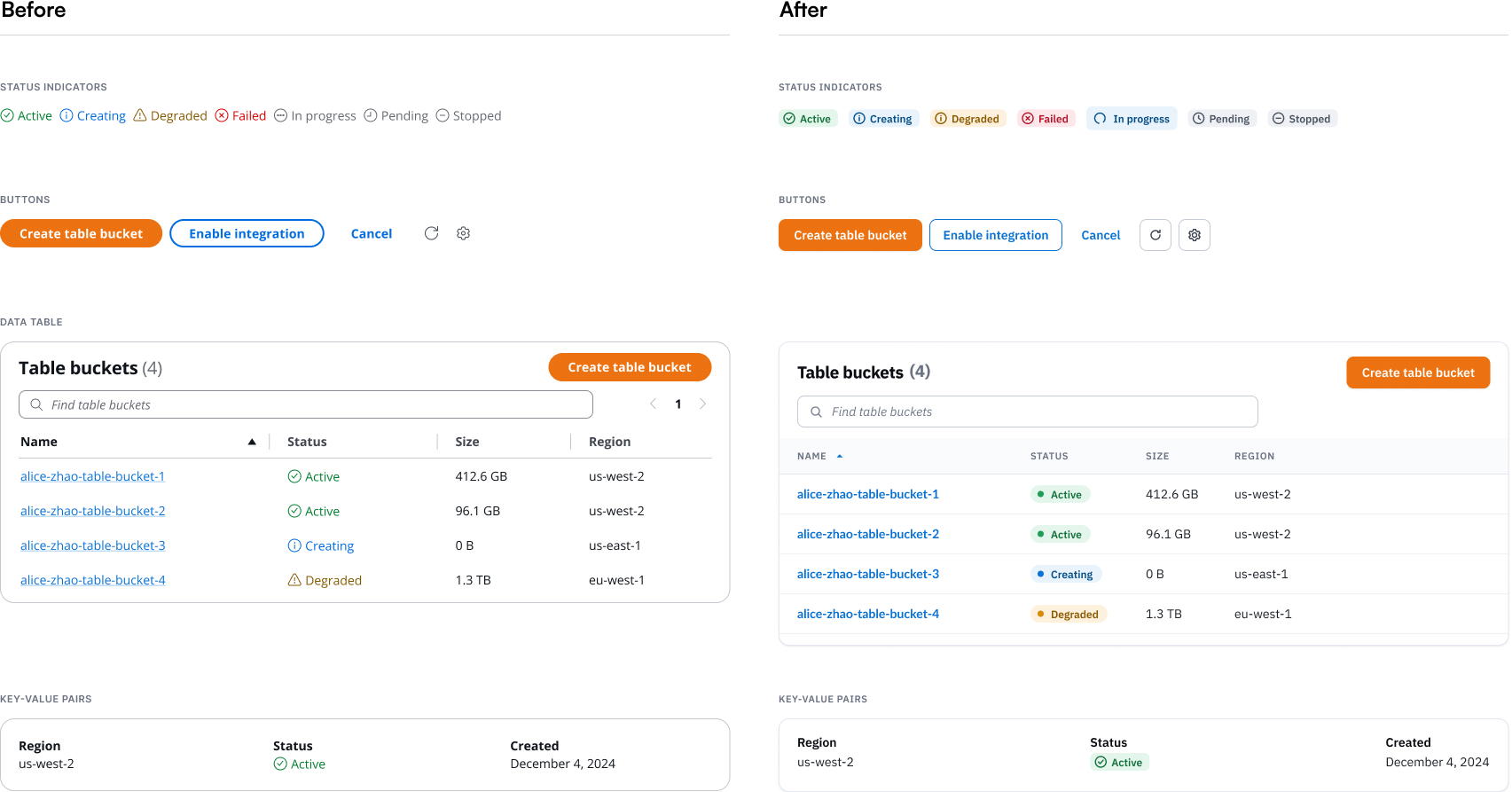
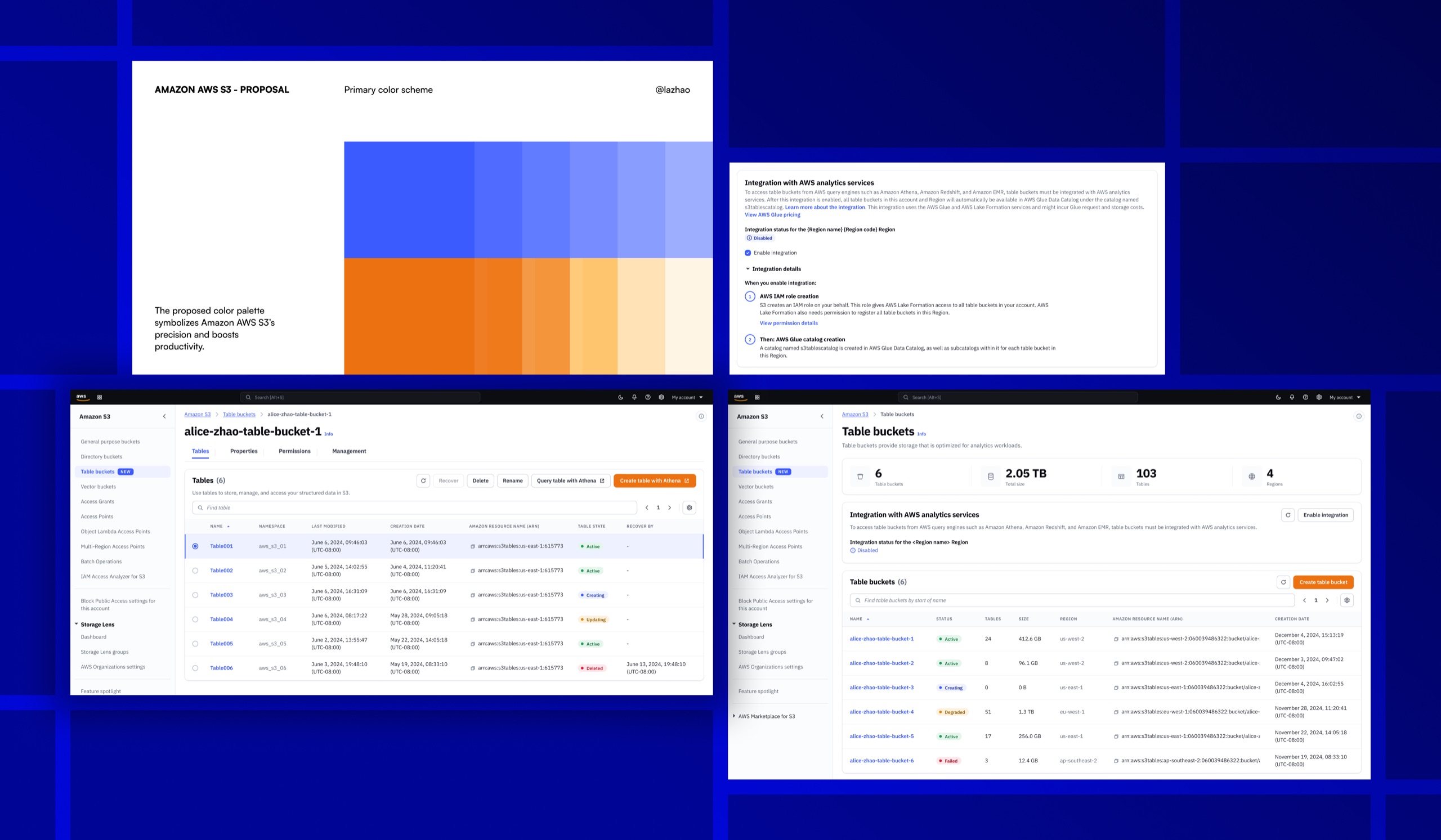
Partnering with the AWS design system team, I audited the components the S3 Tables console relied on and updated the ones that fell short. Status indicators now signal progress more clearly, so customers always know where a task stands. Buttons follow a more rigorous, consistent spec. And tables carry more breathing room, so the dense information they hold stays glanceable. I contributed the changes back to the design system, so the improvements reach beyond S3 Tables.
04Outcome
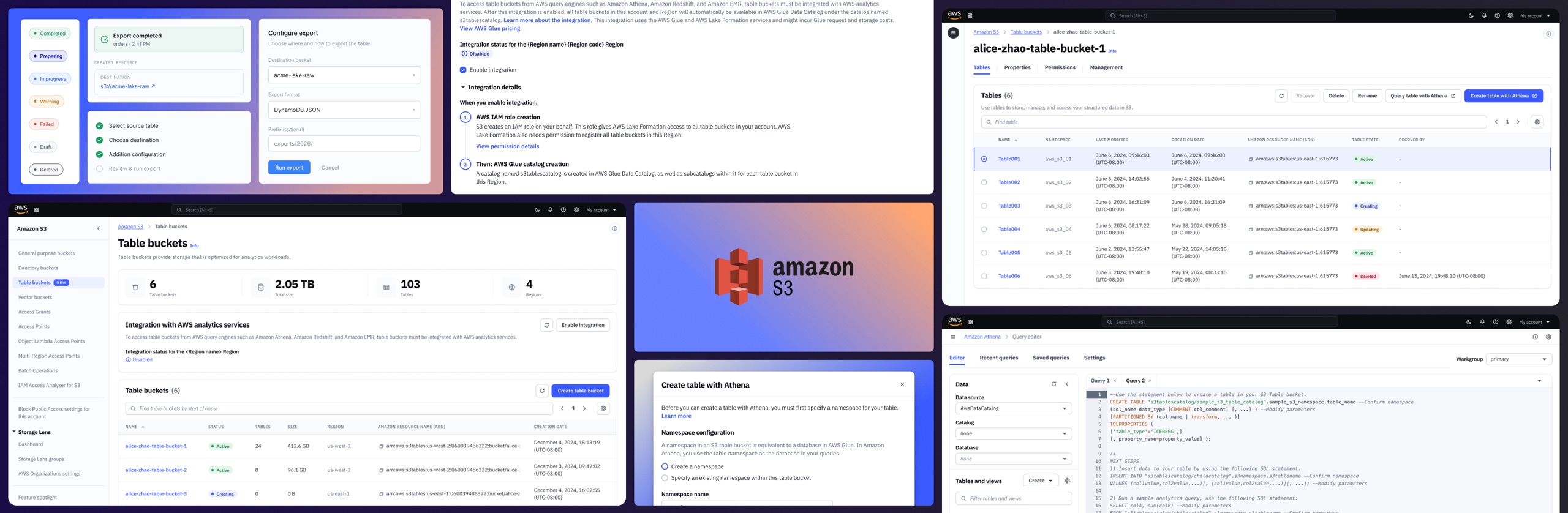
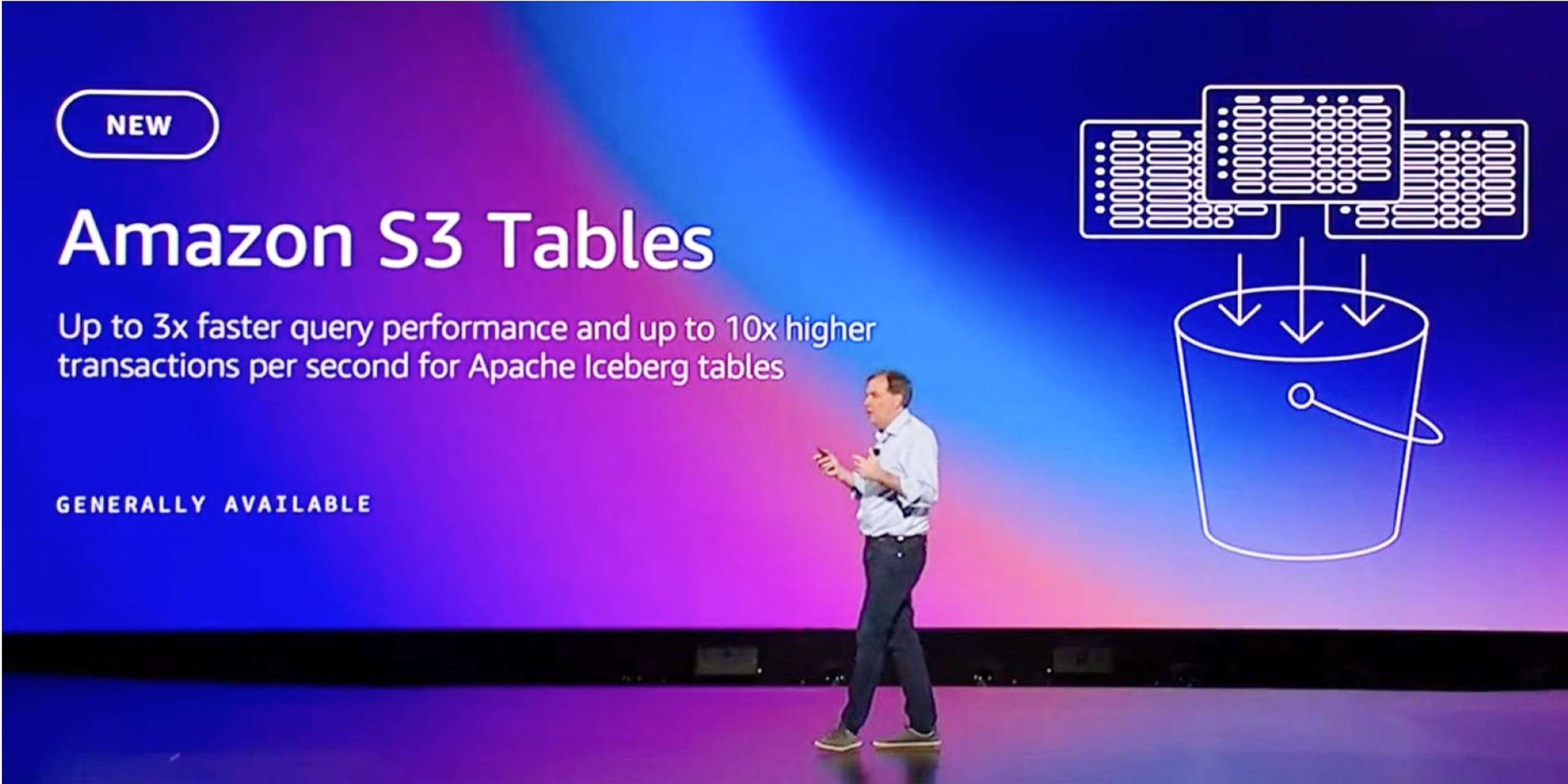
S3 Tables, launched as the top announcement at AWS re:Invent 2024, gives customers structured data storage with built-in query support, eliminating million-dollar custom infrastructure.
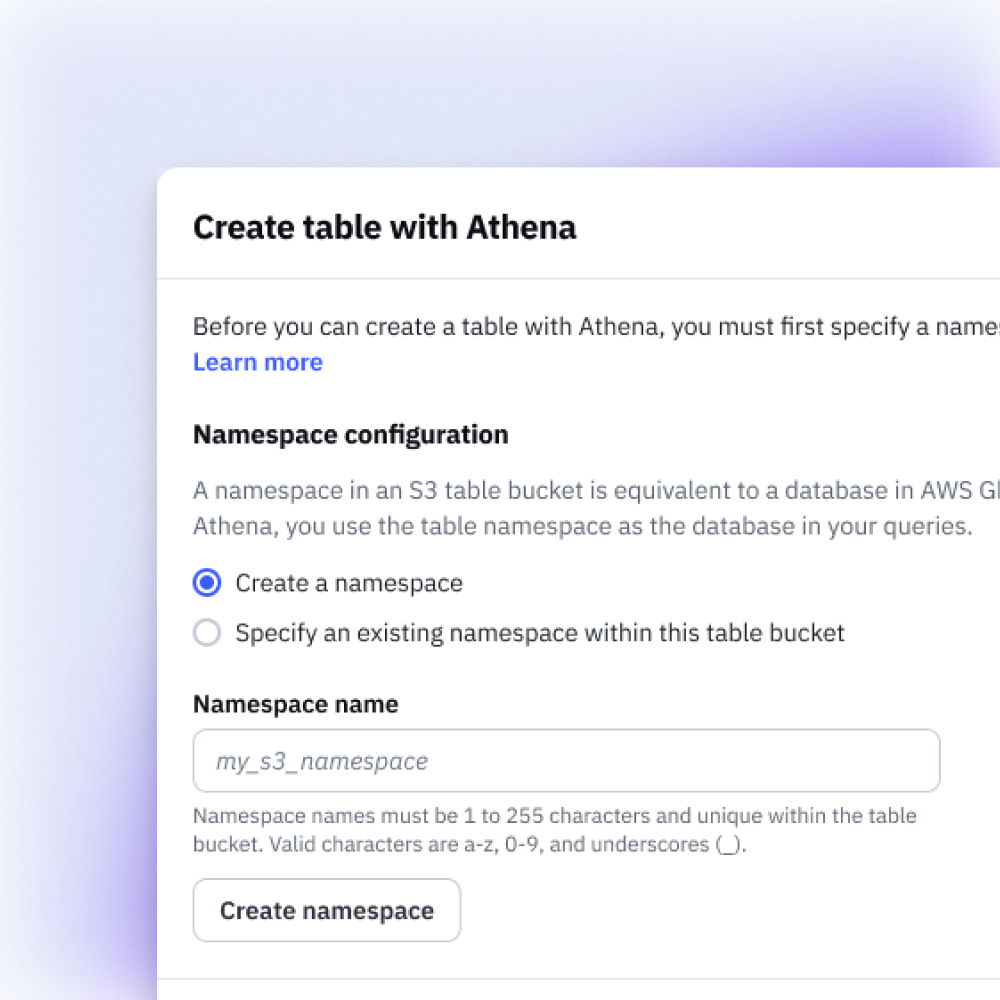
Unified data storage for AI/ML workloads
The S3 Tables console enables customers to create, manage, and query structured data for analytics and AI/ML workloads in a few clicks, drastically simplifying the way customers manage their storage.
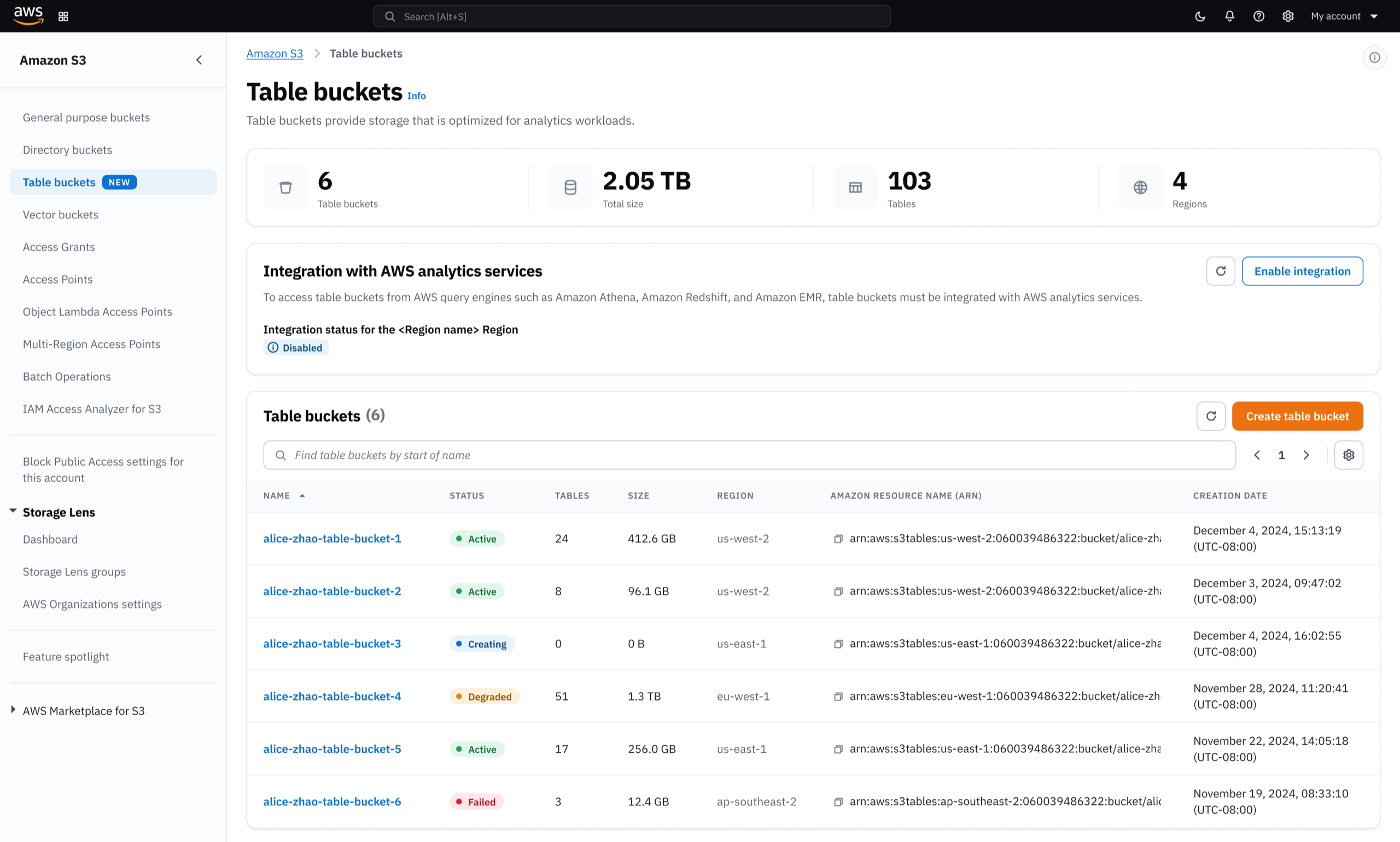
Seamless Integration
What previously required custom-built infrastructure is now handled automatically. Integration across multiple AWS services is reduced to a single click during table bucket creation.
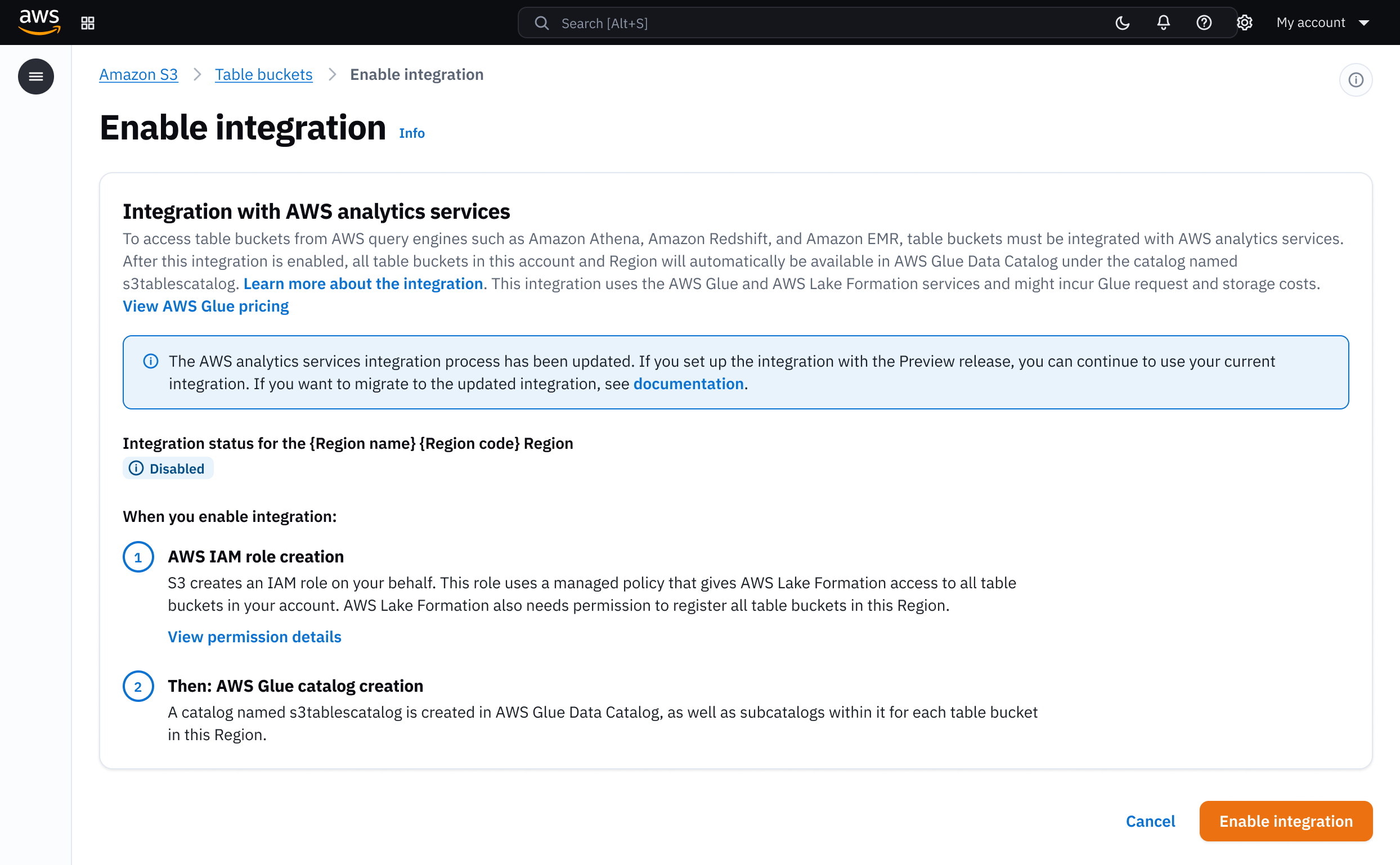
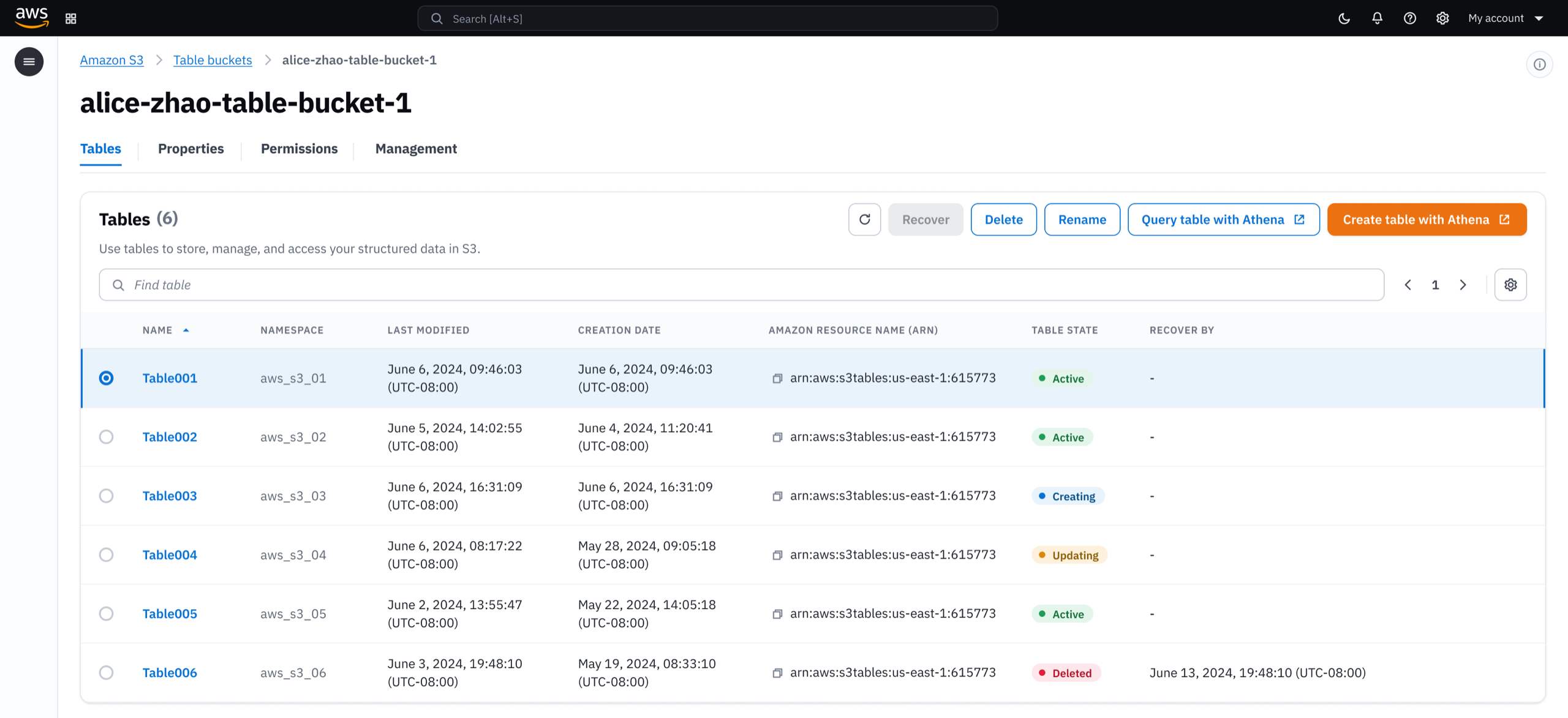
One click from data to insights
Once created, customers manage their tables from a single console. Table bucket details, permission controls, and storage settings are all accessible without switching between services.
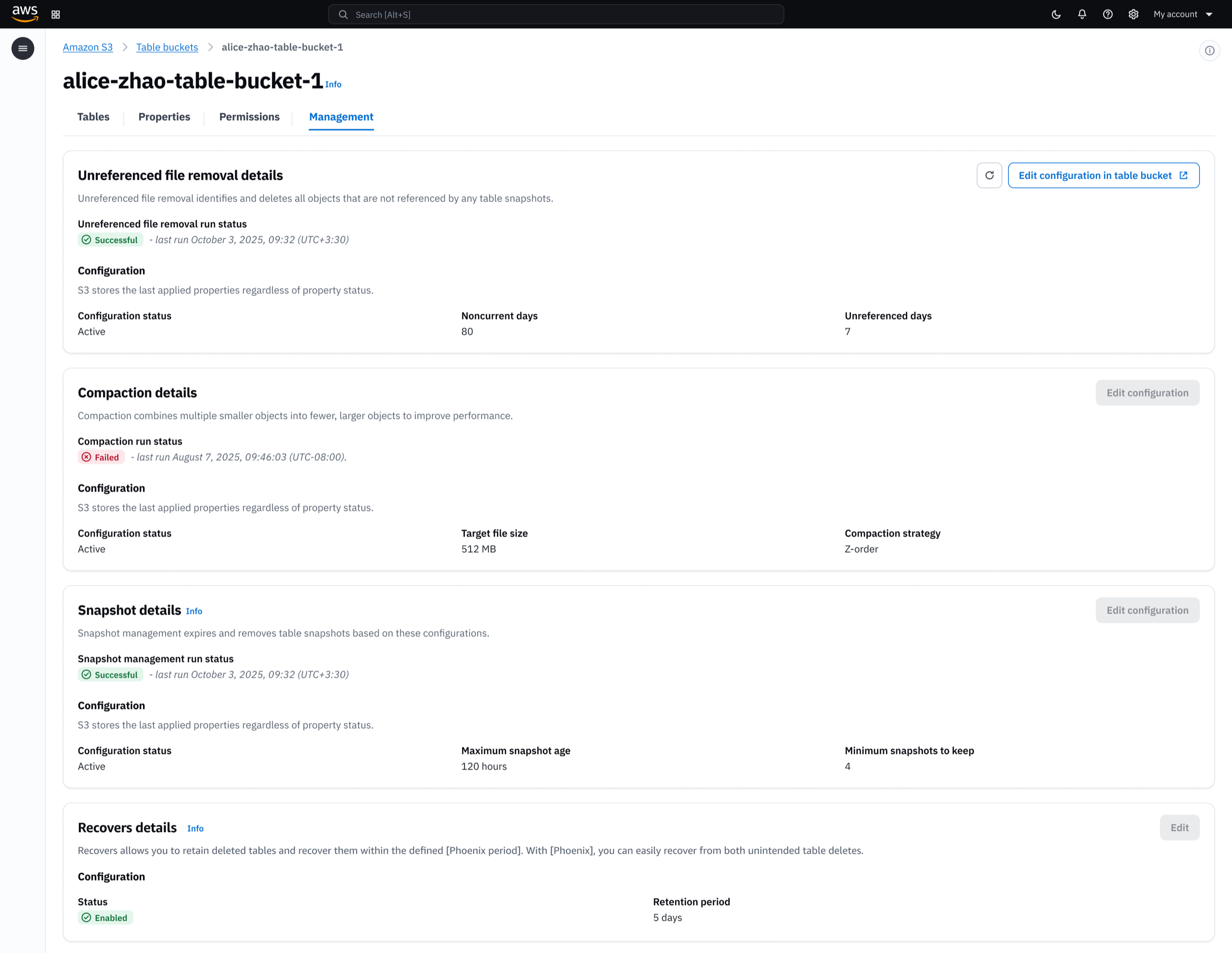
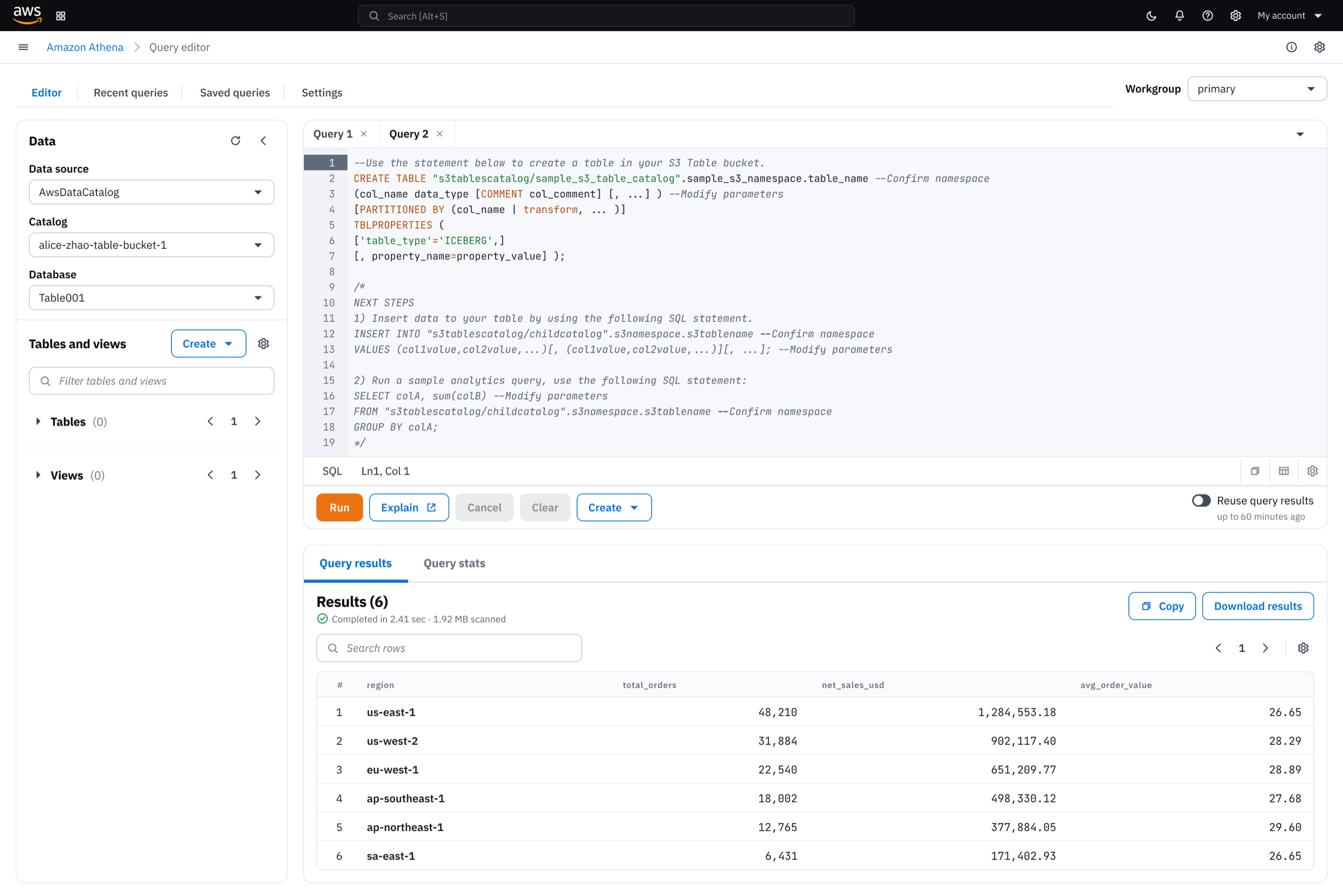
Biggest launch for S3
S3 Tables launched at AWS re:Invent 2024, featured as the top announcement in AWS CEO's keynote.
Amazon Q assistant
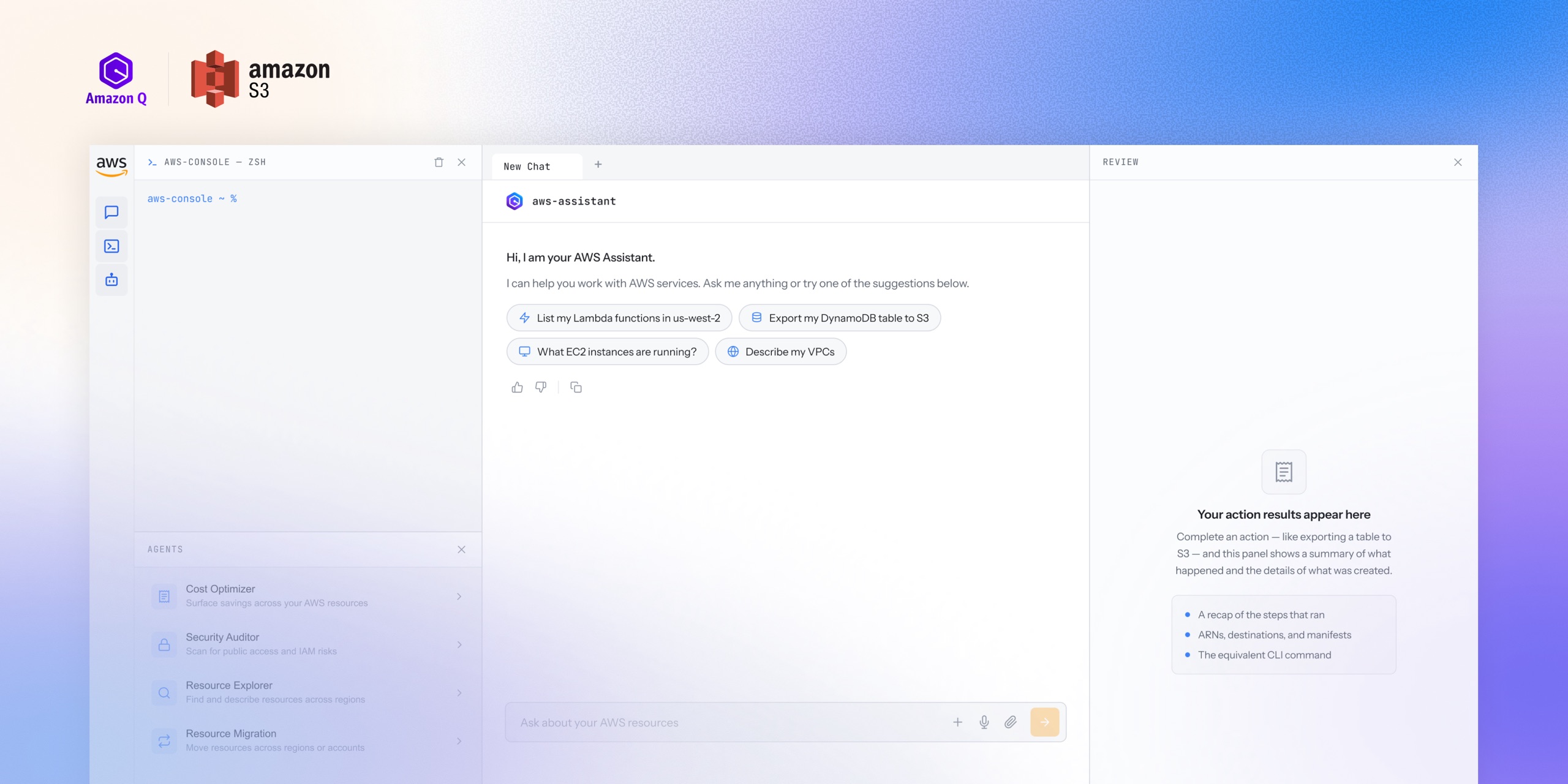
I led UX for an agentic layer that makes AWS purpose-driven, not service-driven, reducing task completion time by 20%.
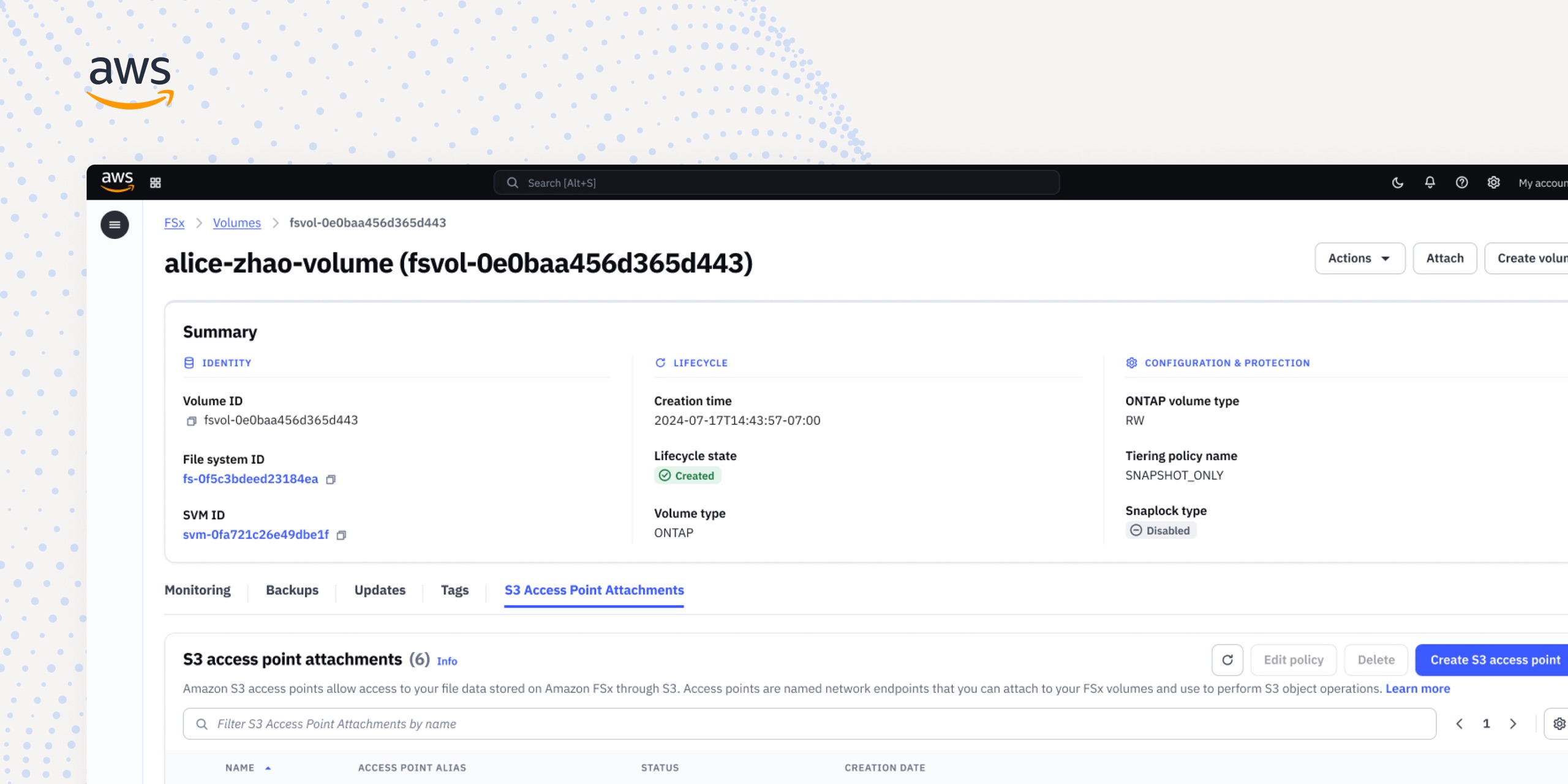
Simplifying data access: Unifying 3 endpoint products into 1
As sole designer, I led and delivered the design that merged 3 storage services into one, cutting months of setup to minutes.