Amazon Q assistant
After launching the Amazon Q console in early 2025, customer feedback revealed that its functionality was limited and service-driven. What customers needed was a natural-language experience driven by intent, not by service. I led design in close cross-functional collaboration with a small core team to find the workflows that would benefit most from an agentic flow, then shaped the experience in three weeks for two very different customers: new users exploring AWS, and power users who prefer a CLI/SDK experience.
The result is an agentic application layered on the existing console. A three-panel experience lets new customers work by purpose instead of by service, while power users keep their native terminal and gain a conversational layer that speeds up their workflows.
01Who and why
Customer feedback pointed to one gap: the experience was service-driven and manual when customers wanted it to be agentic and guided. I partnered with product to consolidate usage data and find the workflows that would benefit most from an agentic flow.
Research process
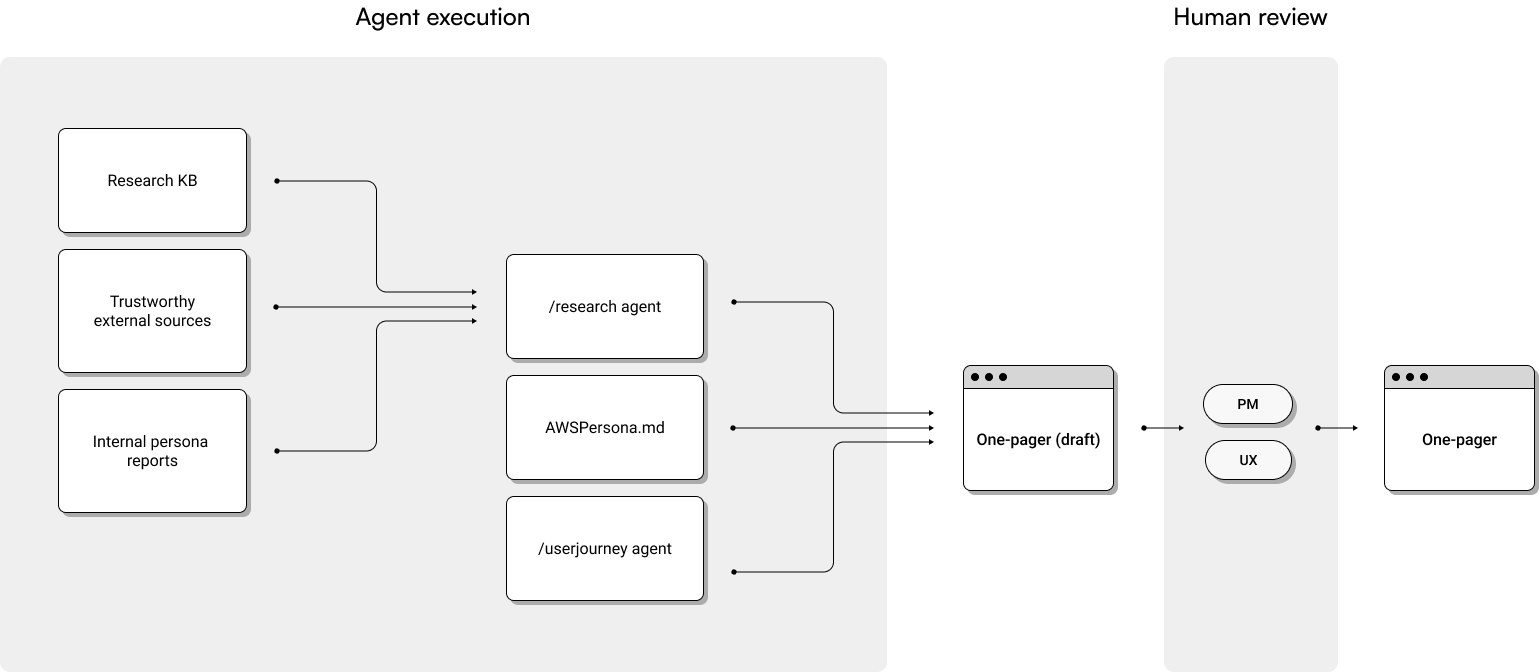
Fully embracing AI tools, I built a research knowledge base and used a research agent to pull from it alongside trustworthy external sources and internal persona reports. It synthesized the research in about an hour, work that usually takes days, and drafted a product requirement document in a few hours instead of the week it typically takes the team. I reviewed and refined both with the product team.
Target customers and their pain points
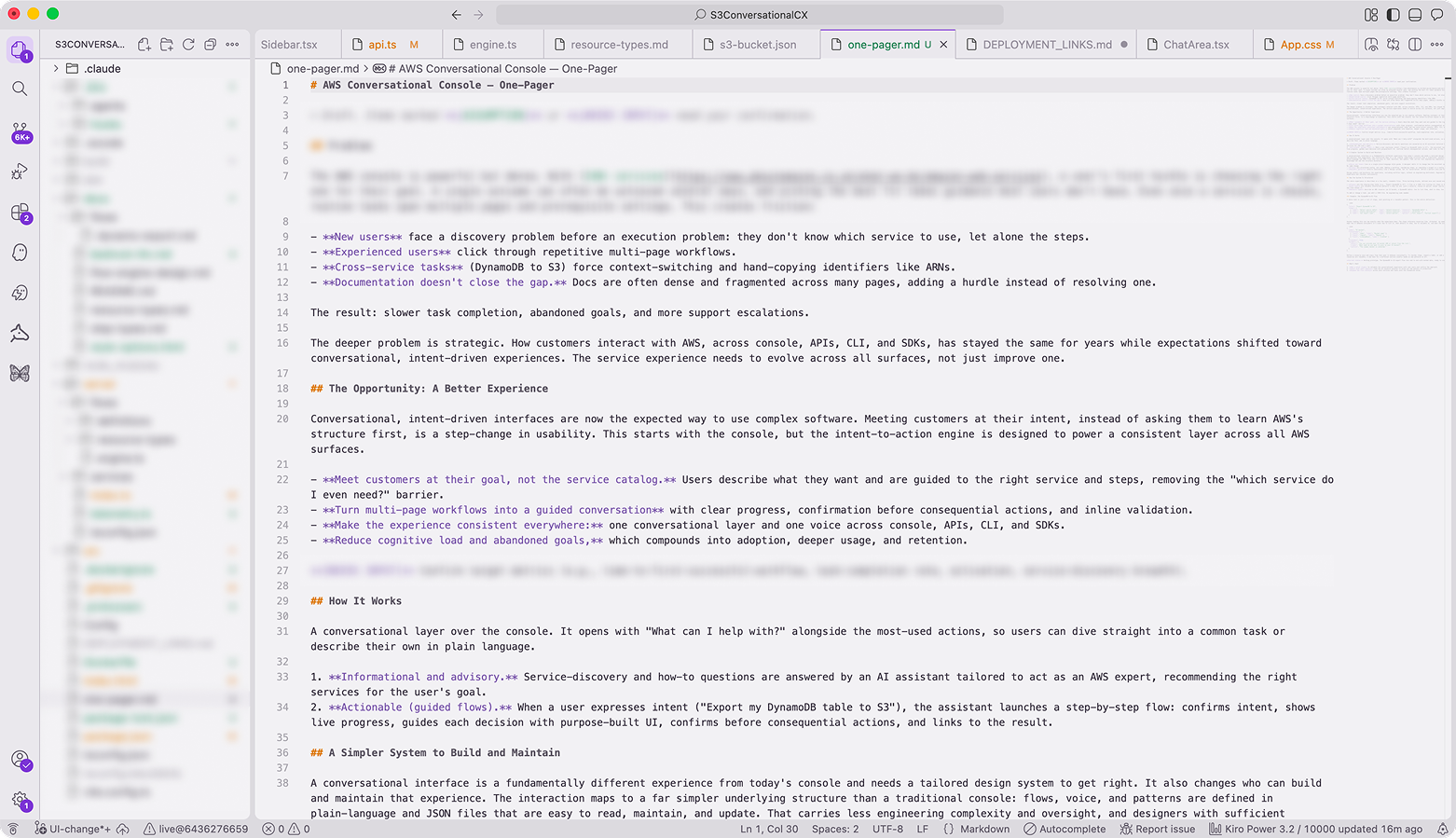
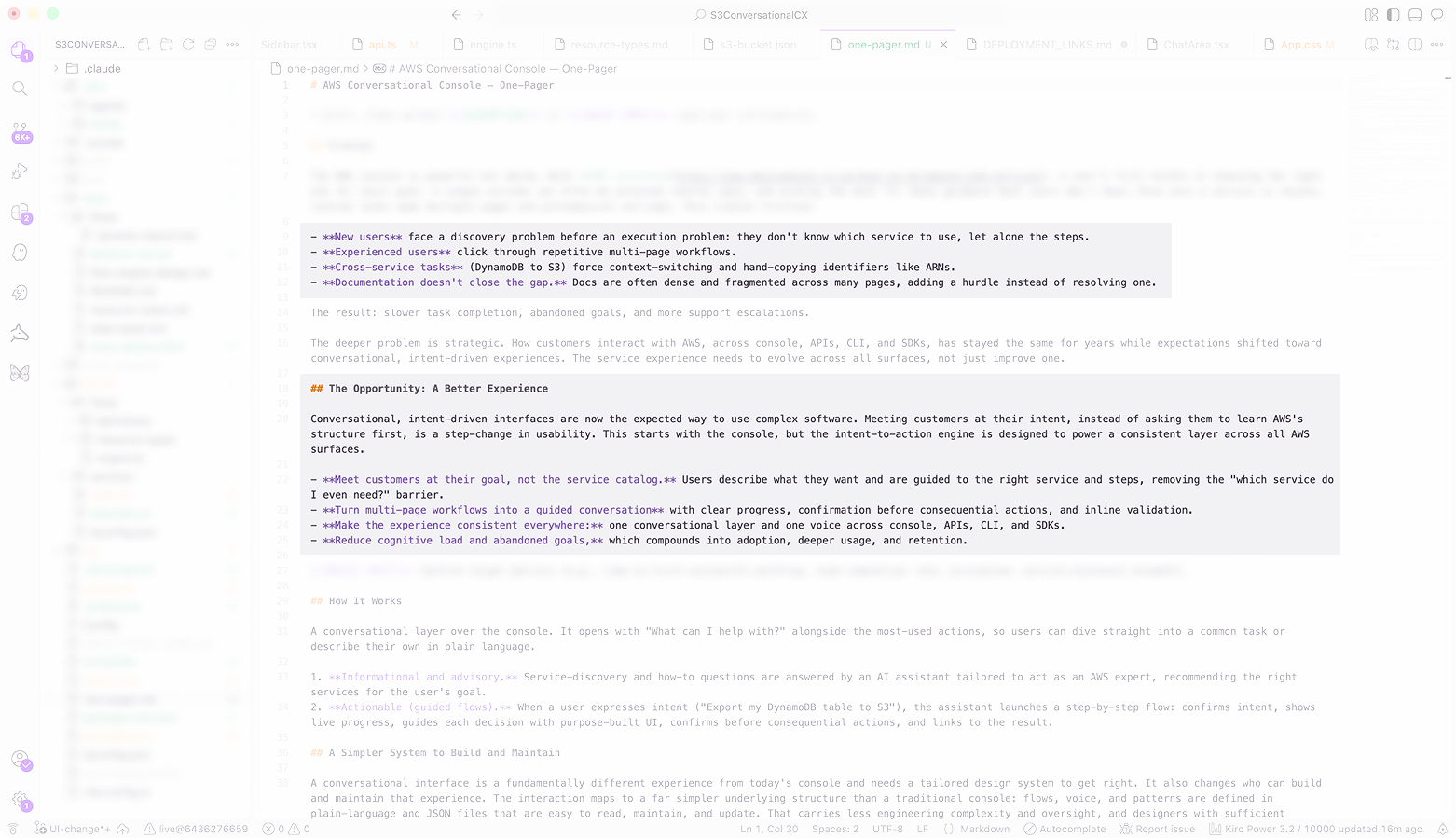
Two customer types shaped every decision. New and casual users want to state a purpose and explore AWS services through conversation. Power users live in the terminal and want conversational help layered on top, not a replacement. On the other hand, the console was organized around services rather than intent, so customers had to know which service to use before they could start. Common workflows were manual and fragmented, with no agentic path to complete them end to end.
02Define the foundational experience
Grounded in customer feedback, I designed an agentic experience matched to how customers actually think, and partnered with engineering on a backend structure that could scale with it.
Design process
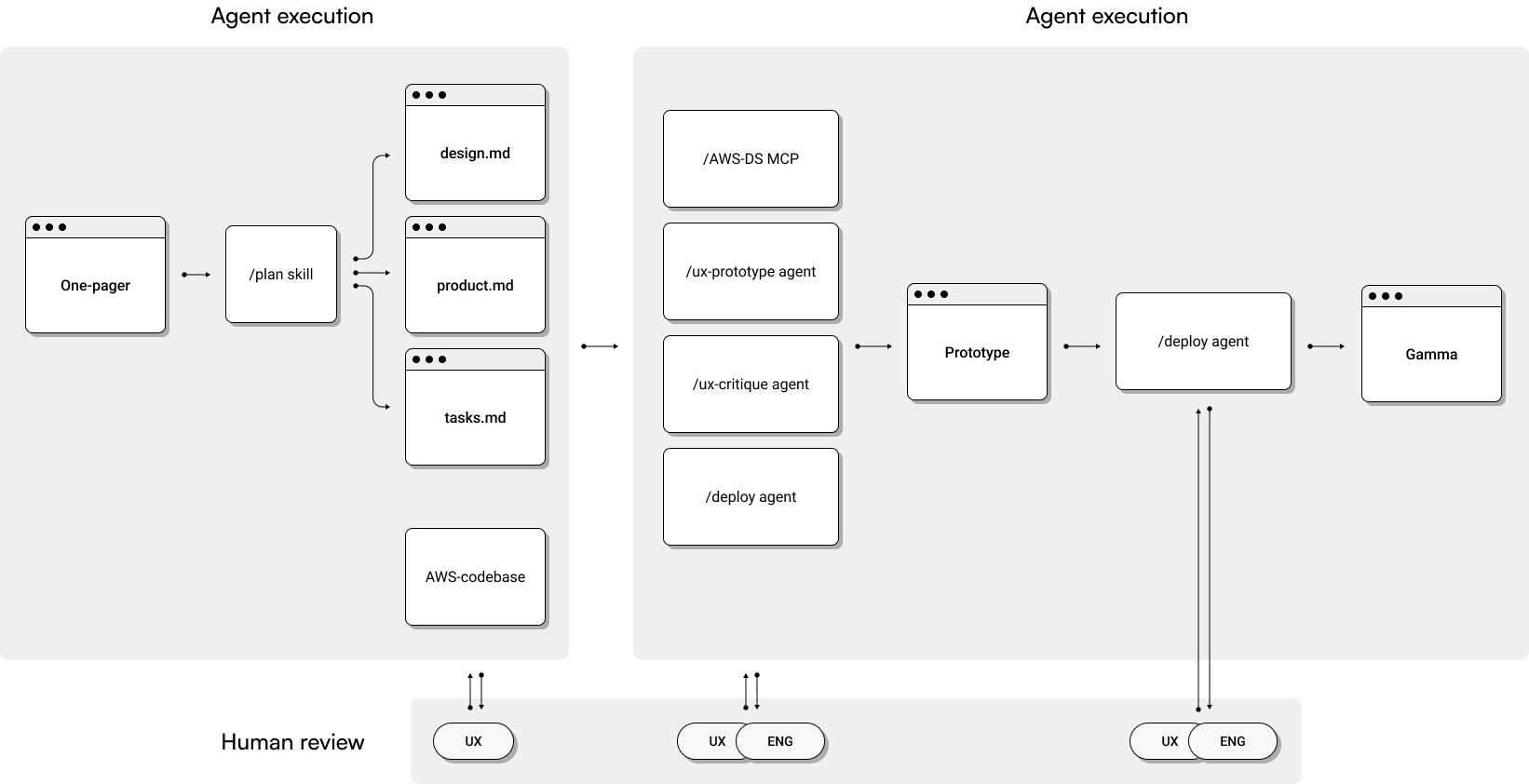
I drove the design with multiple AI design agents and skills, exploring several design directions and components in a day rather than the weeks it used to take the team, while partnering with engineering to define the backend and review prototypes.
Identify building blocks and define interface layout
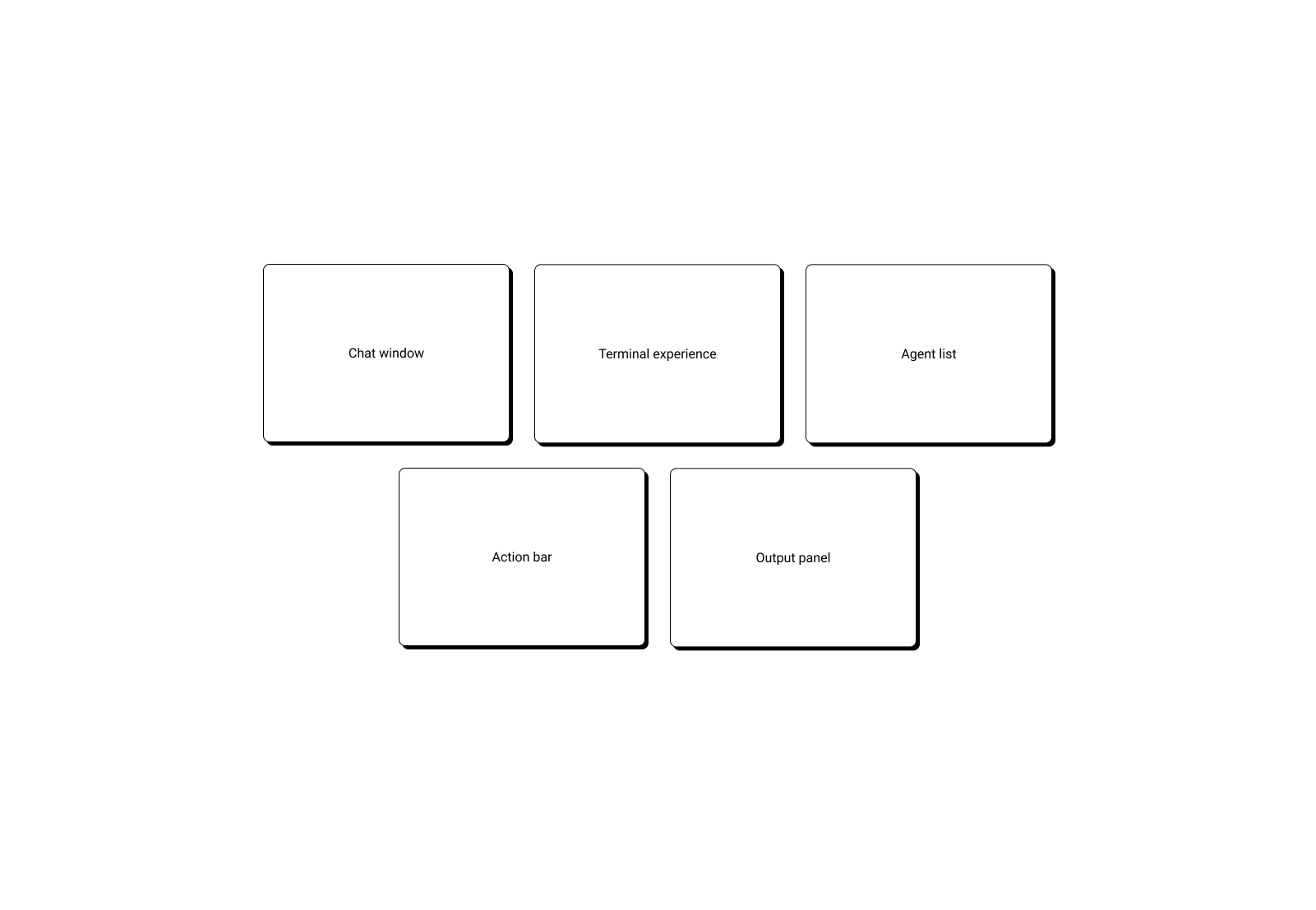
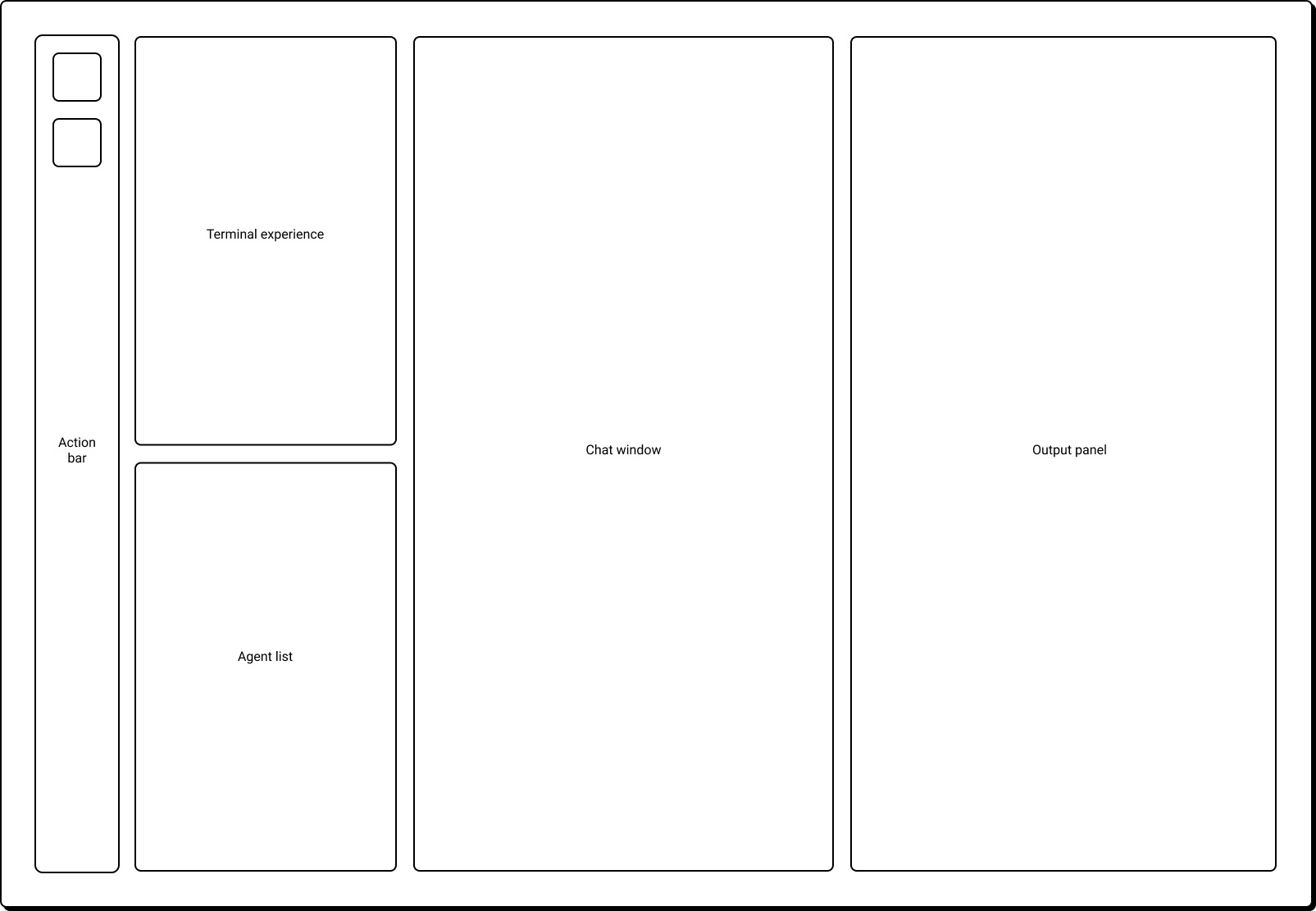
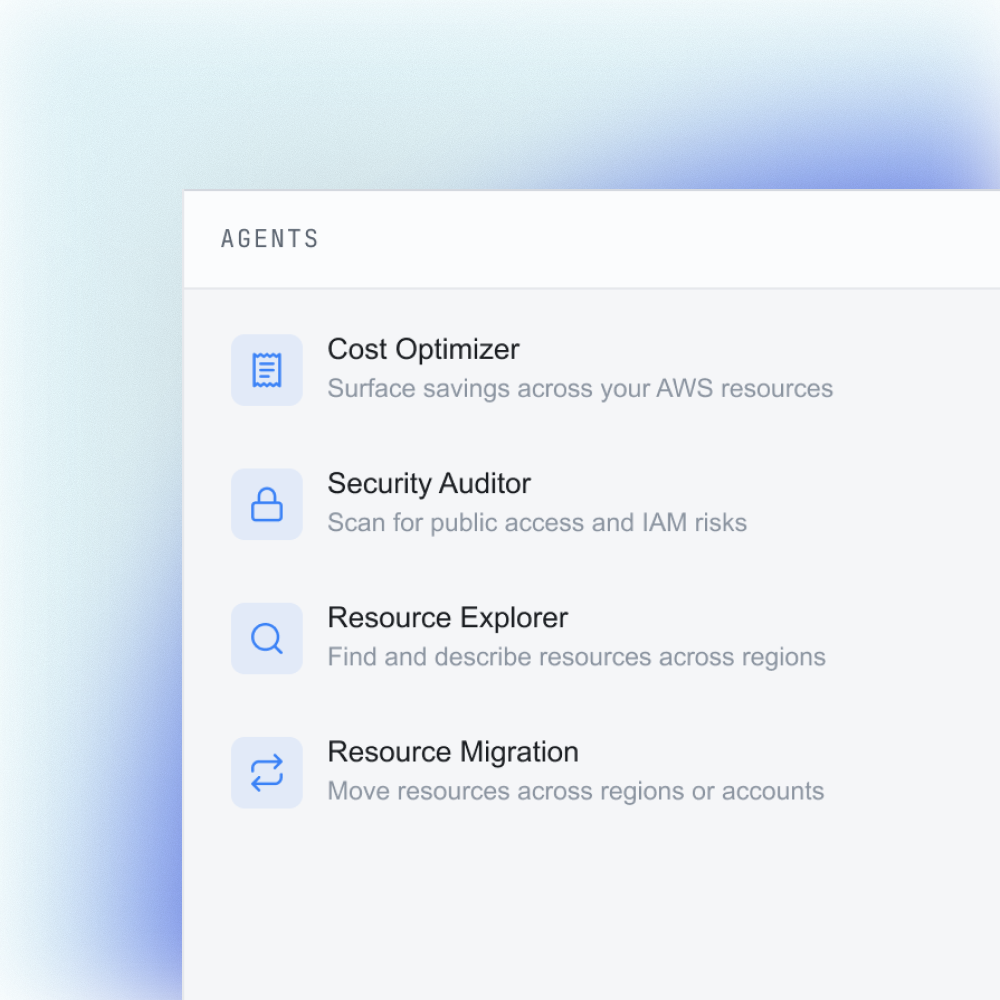
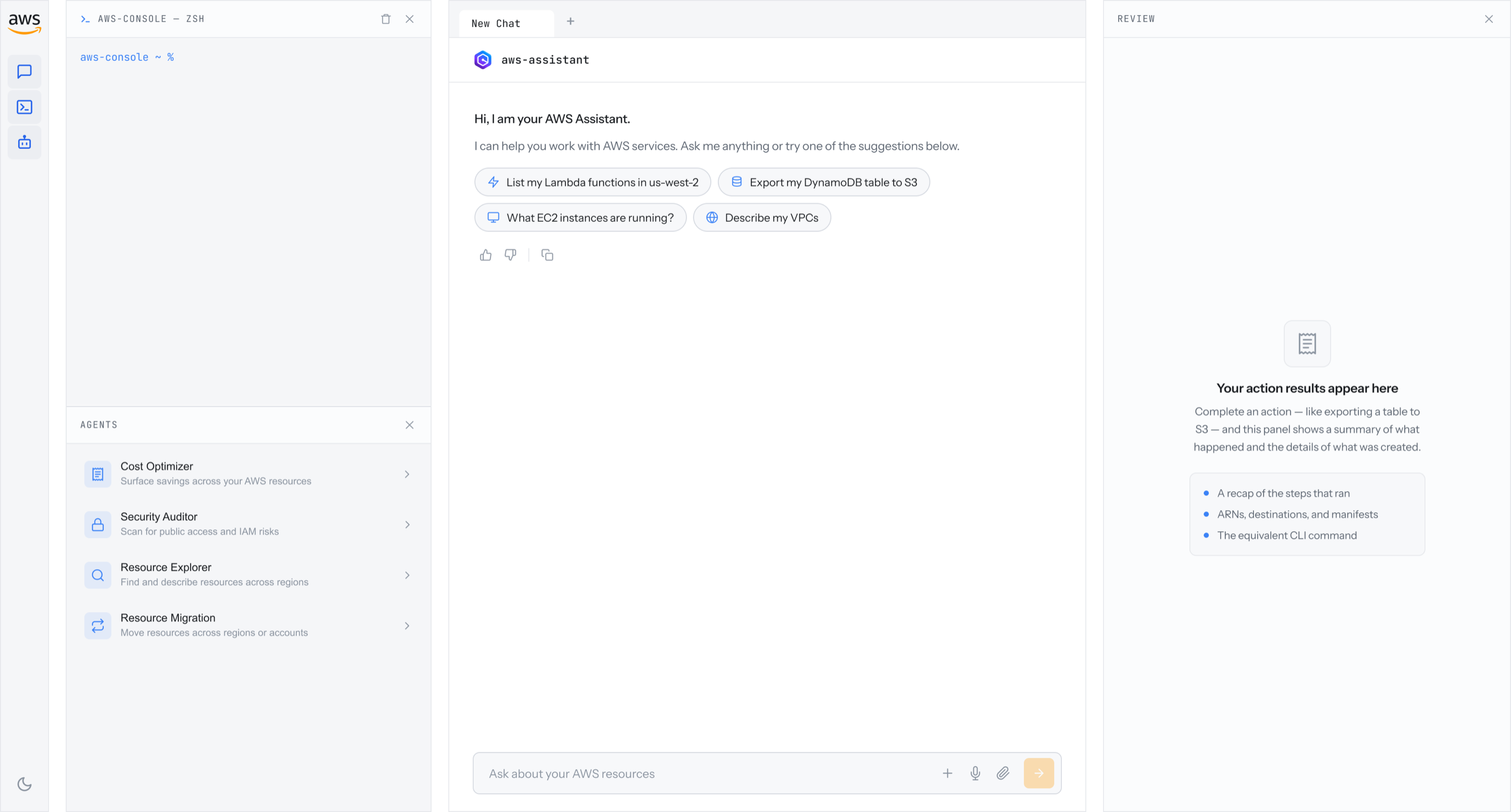
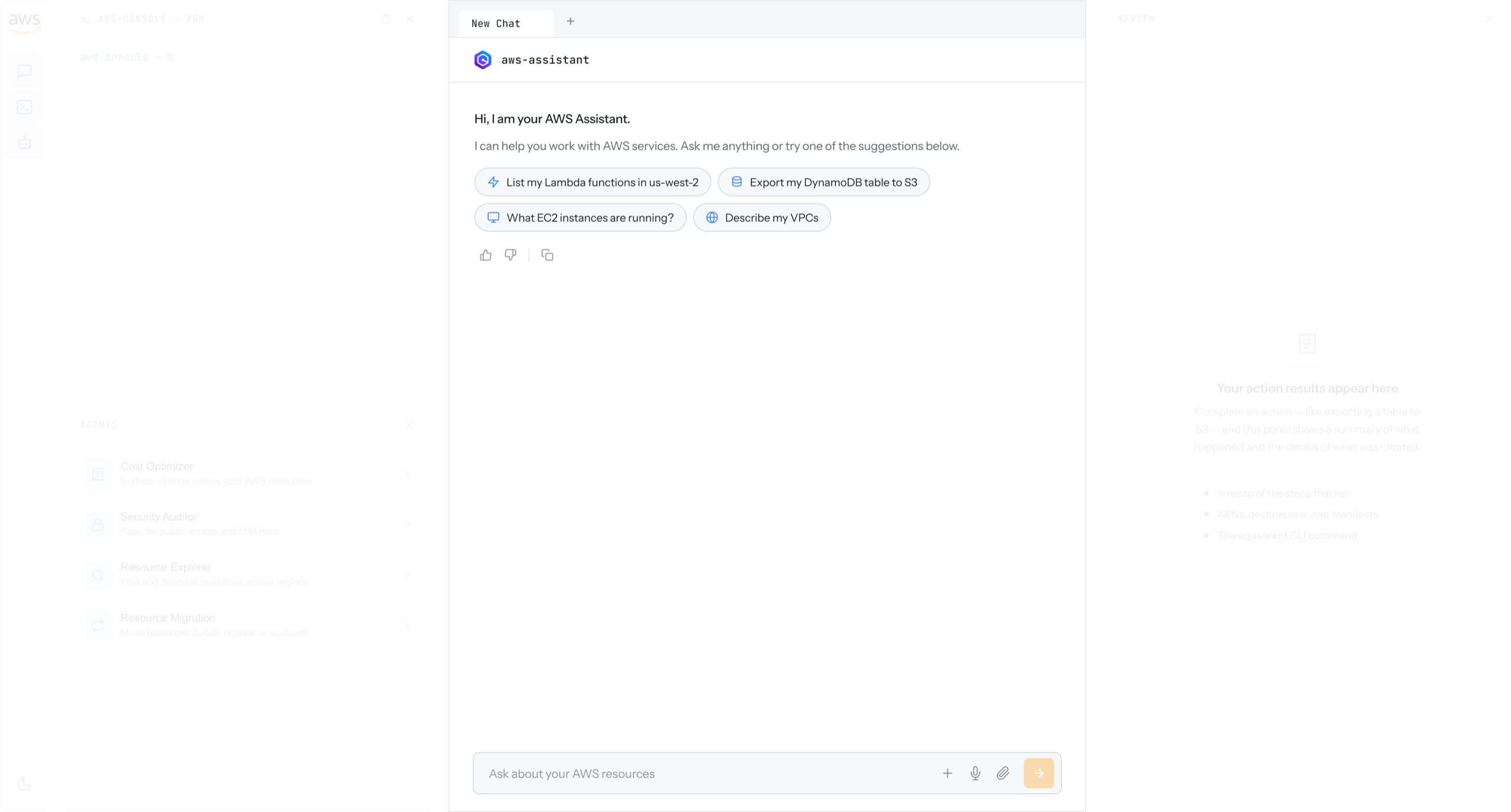
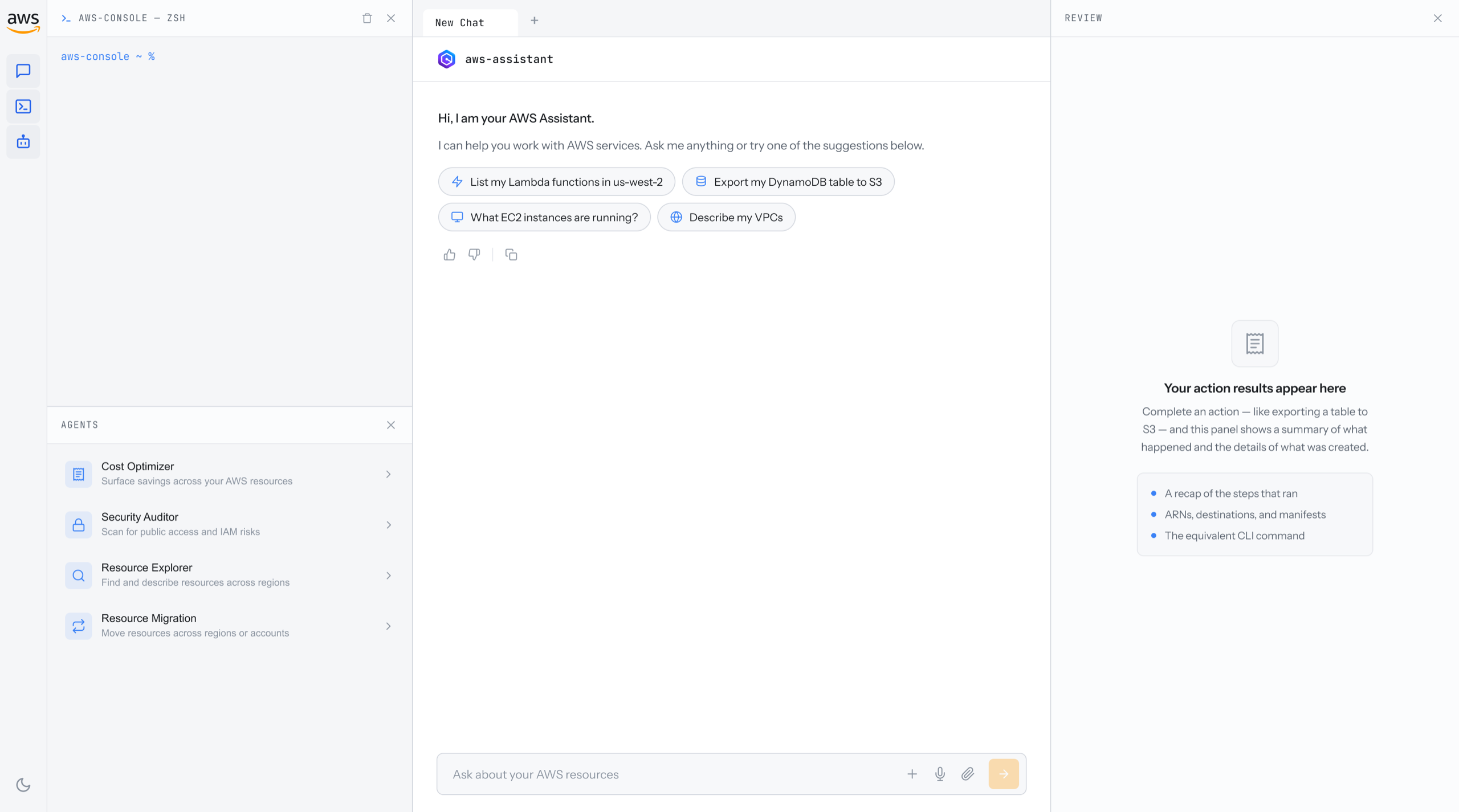
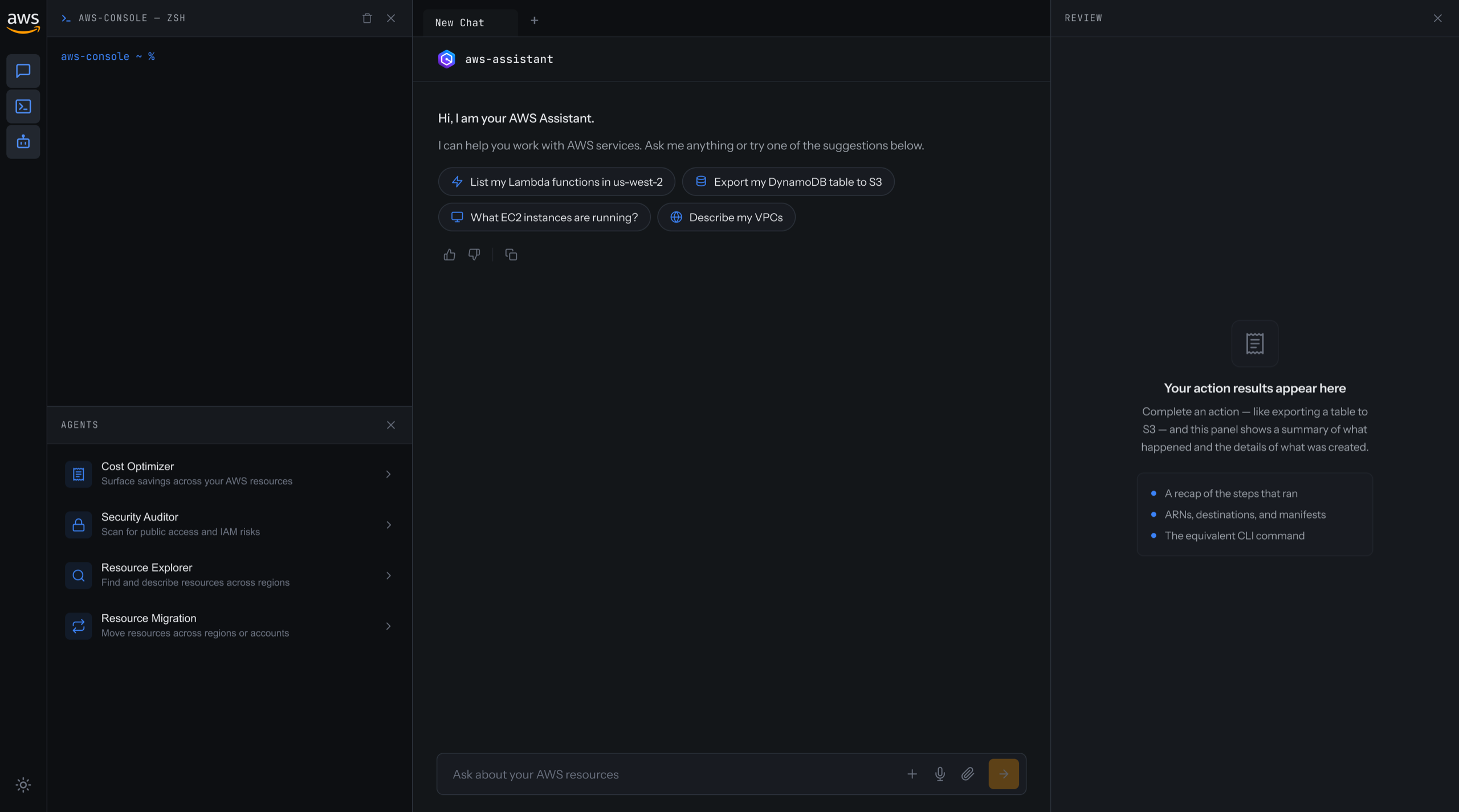
The core challenge was serving two very different customers in one experience without splitting it into two products. I captured the core building blocks and placed each in its right spot, assembling them into a three-panel layout: a terminal on the left for power users, a chat panel in the middle for natural language, and a review panel on the right for workflow steps, status, and output, so each customer type can work the way they prefer, all in one place.
Motion and interaction
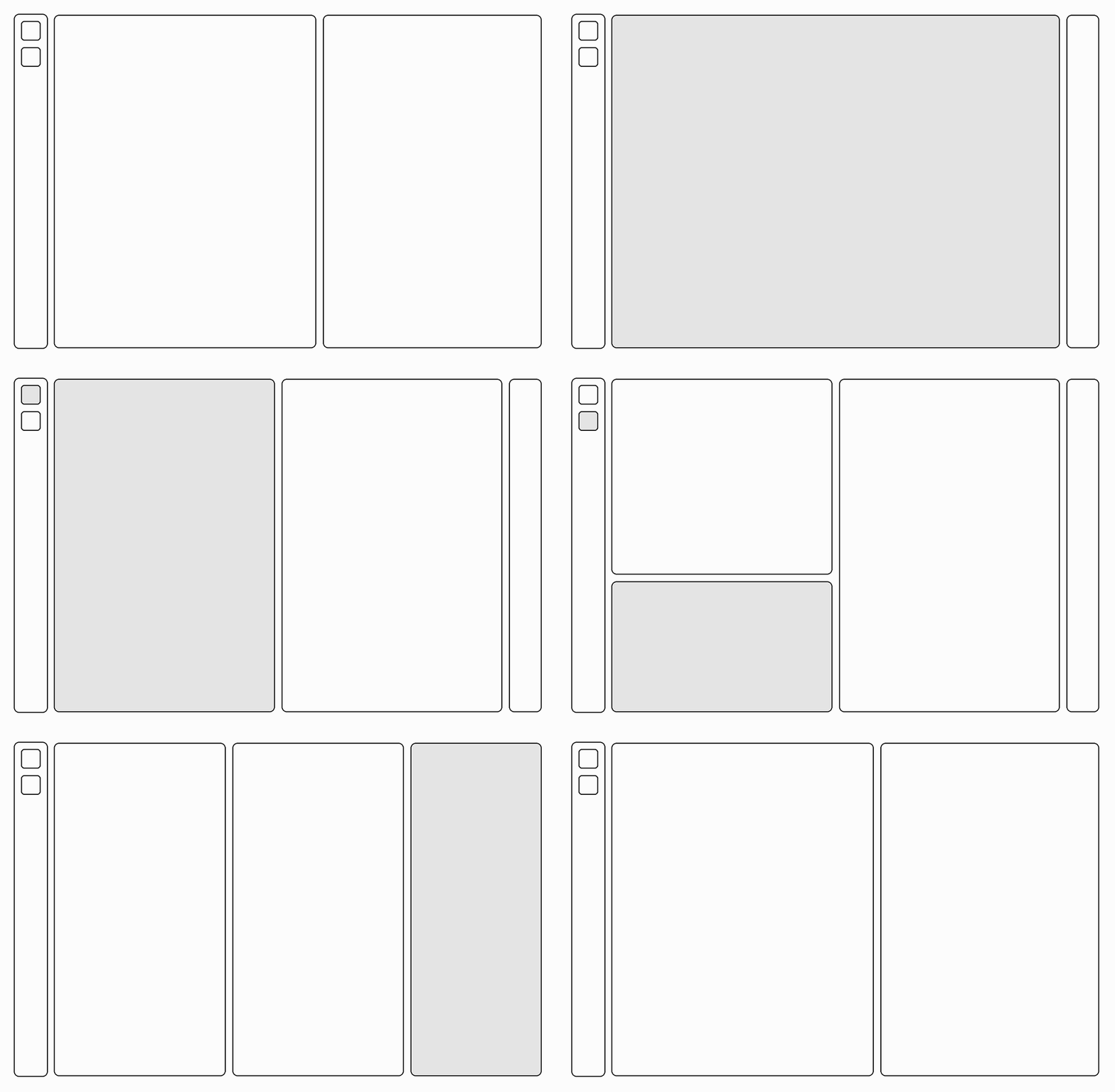
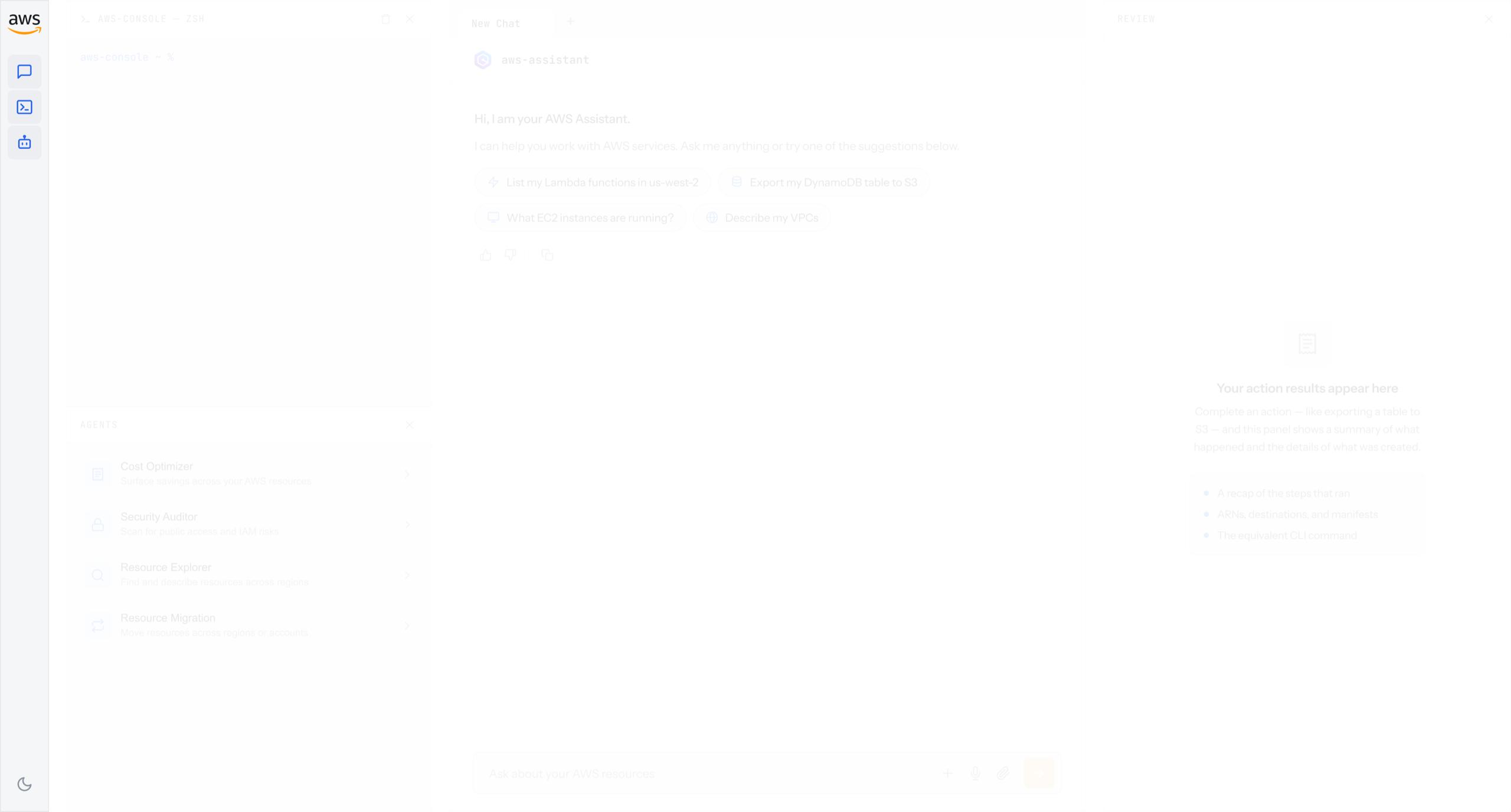
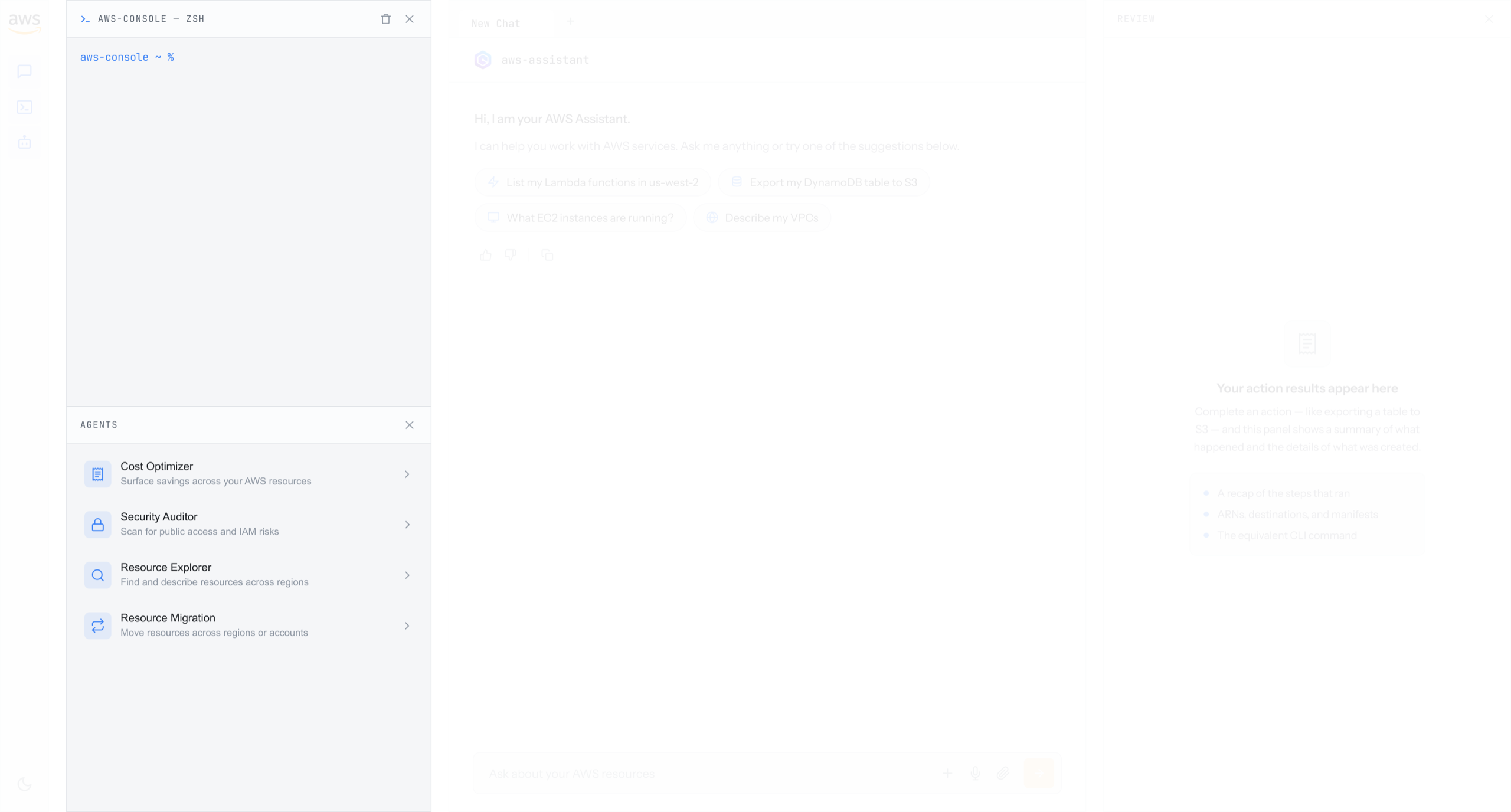
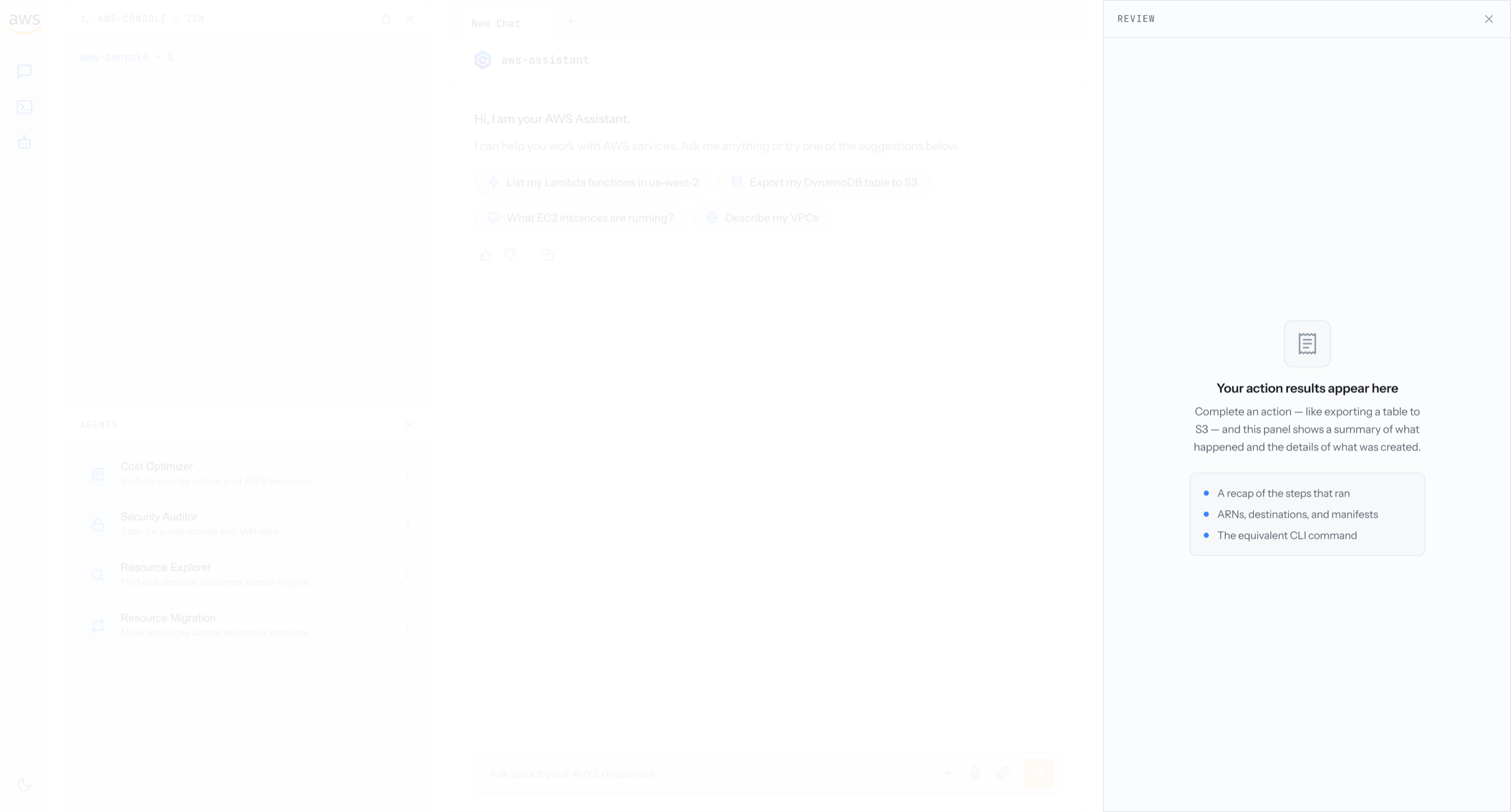
I then designed the motion for how customers interact with the interface, expanding and collapsing panels to fit their needs. Power users can expand the terminal panel, more advanced users can expand the agent list, and anyone can expand or collapse the output panel depending on where they are in a flow.
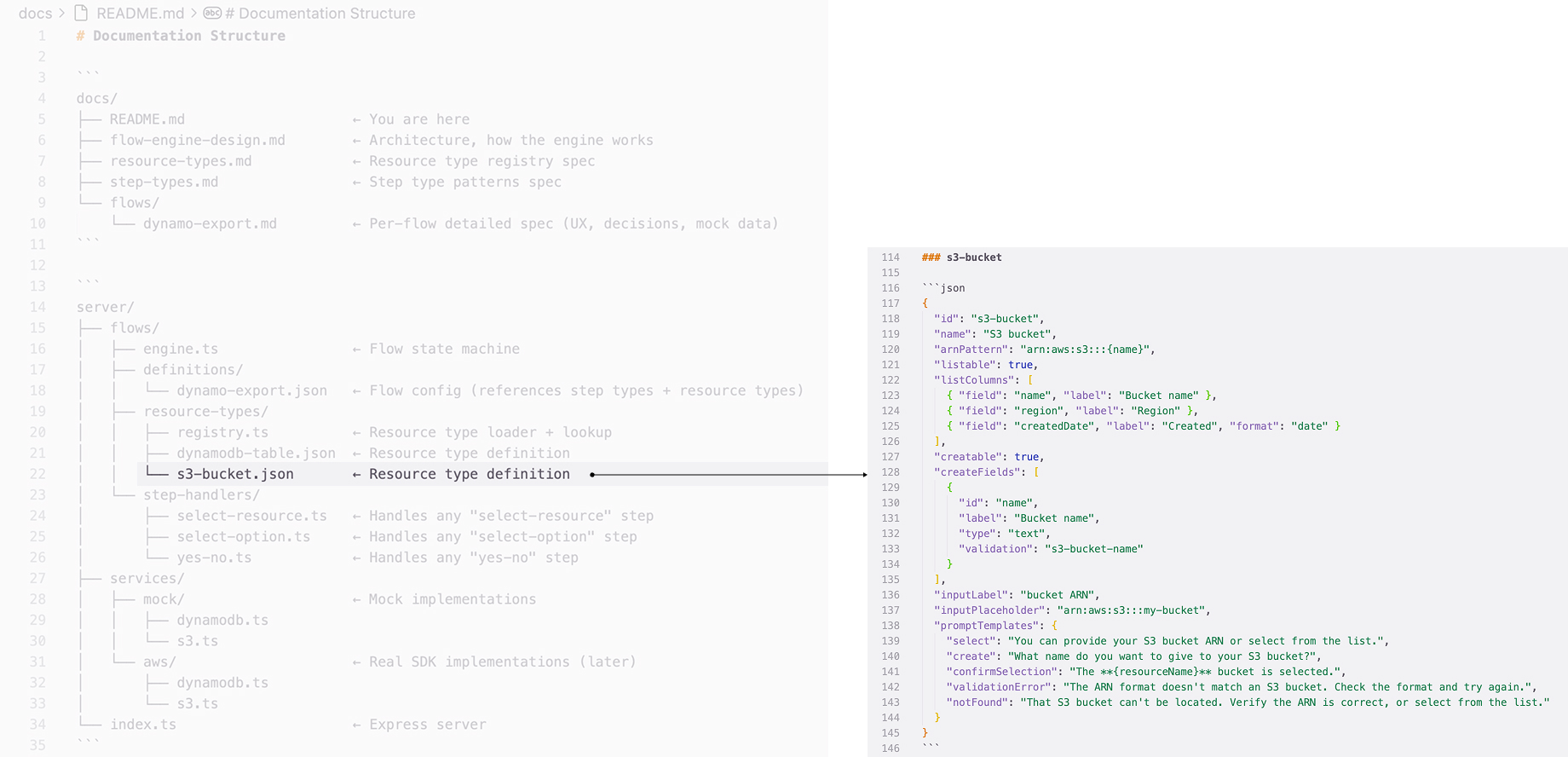
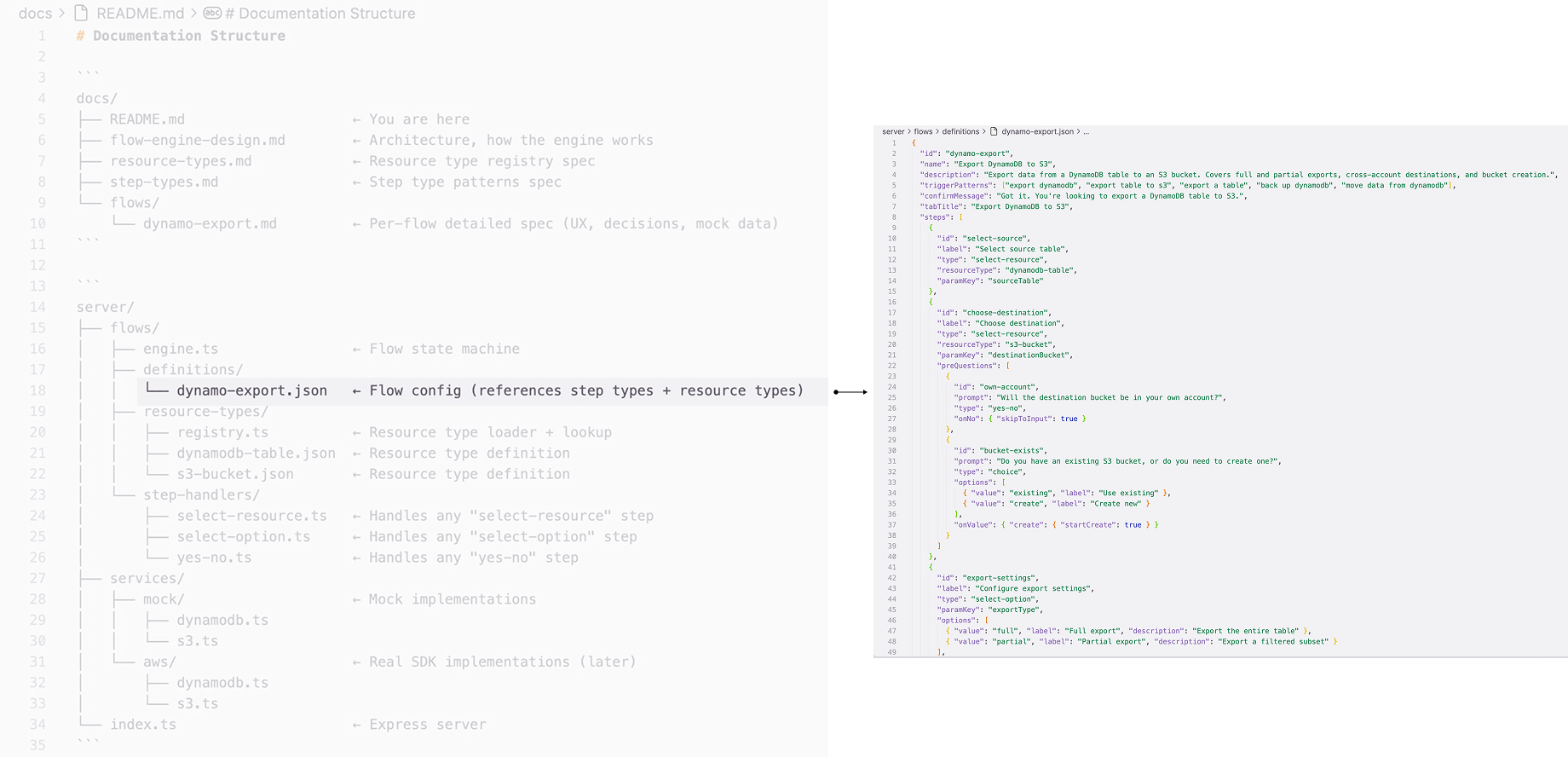
Backend structure and syntax
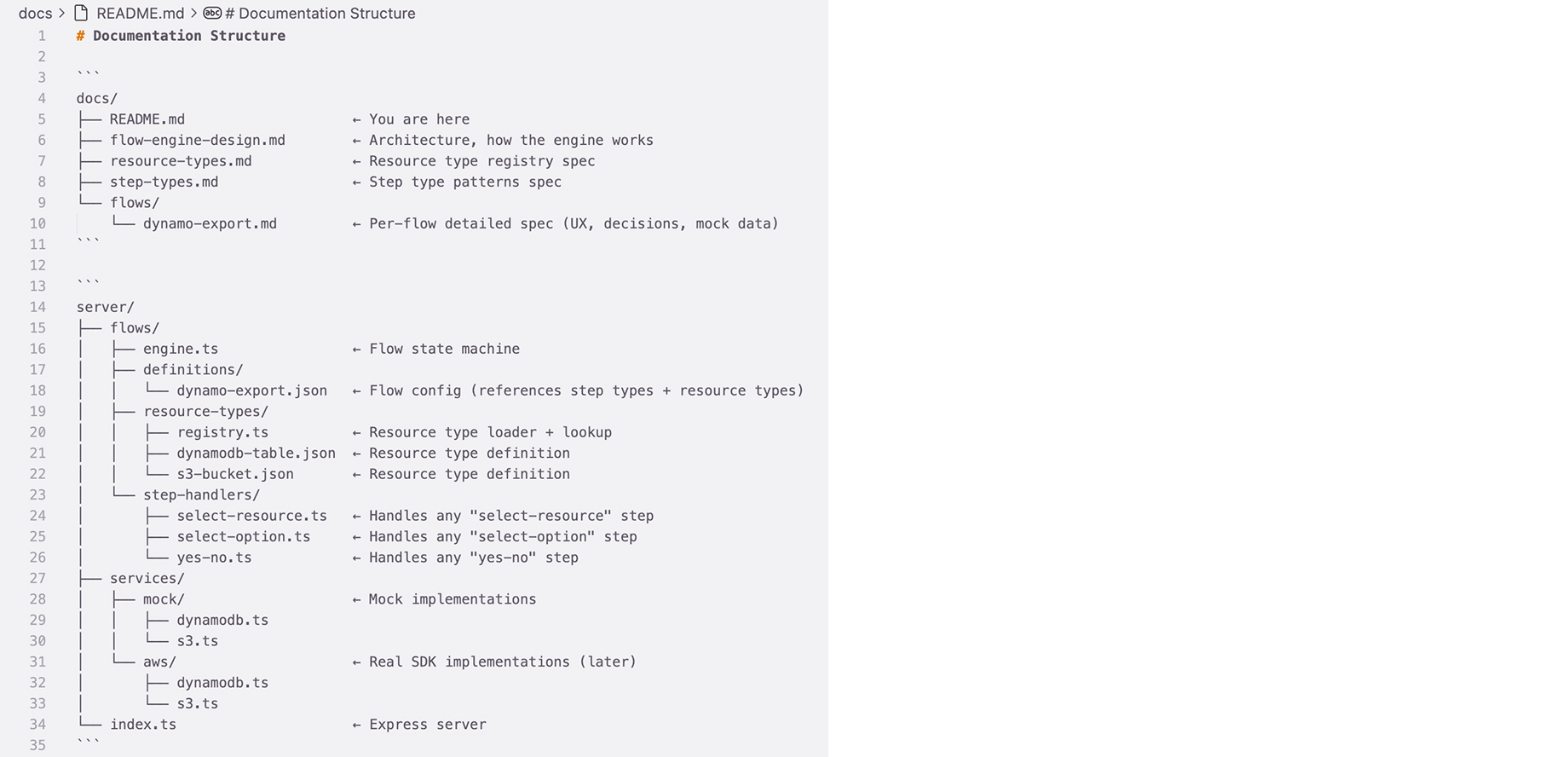
In parallel, I partnered with the engineering team to define the backend structure and syntax, mapping the most common actions to the right components so the interface and the system stay in sync.
03Detailed design and visual exploration
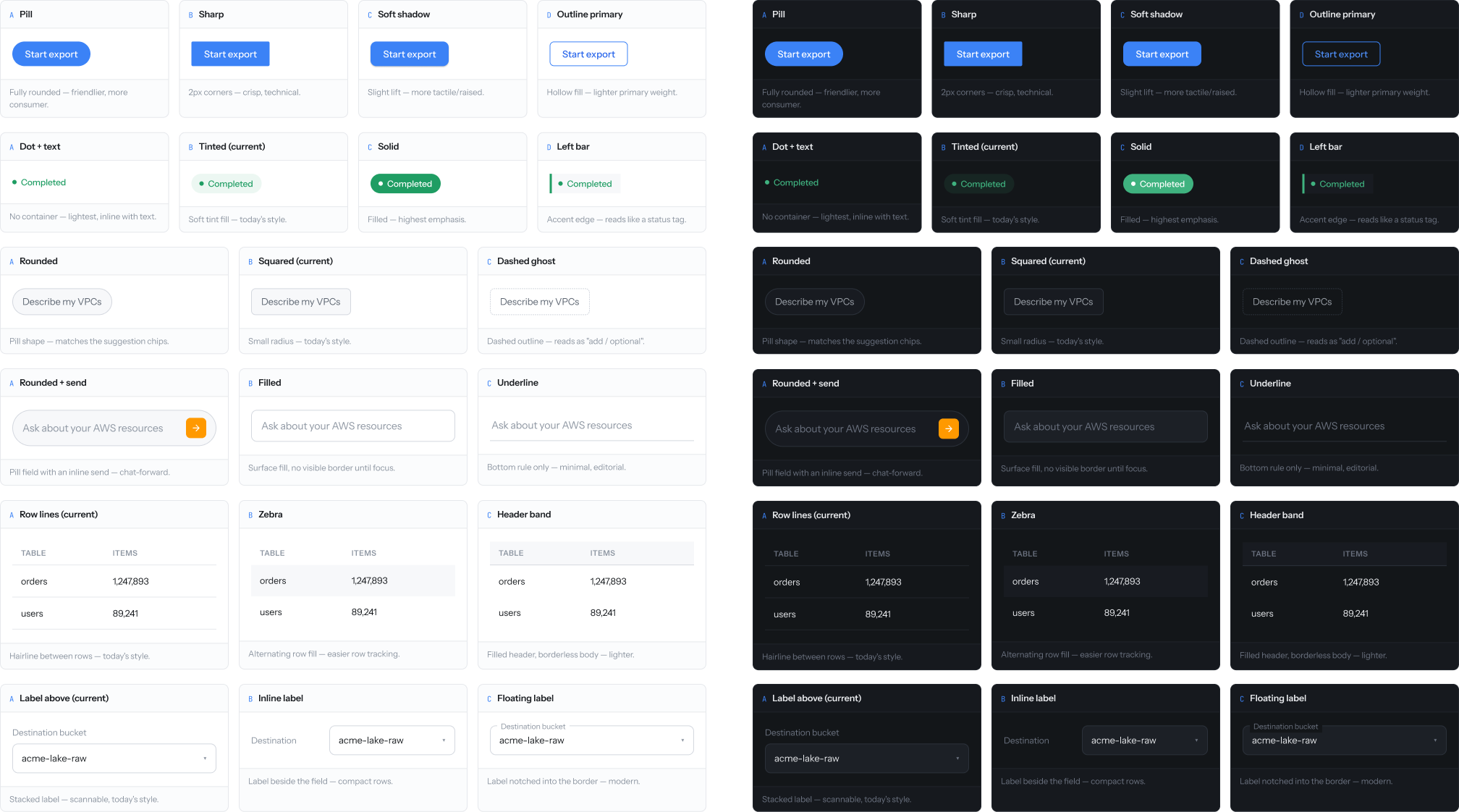
With the layout set, I developed the visual direction on the existing AWS design system and made the component-level decisions that stripped out visual distraction, partnering with the AWS design system team to keep it consistent with the broader console.
Visual exploration
I proposed and developed the visual direction, grounded in the existing AWS design system and extended to fit the more agentic, conversational feel of the experience. I worked with the AWS design system team to align on it so the app stays consistent with the rest of the console.
Component decisions
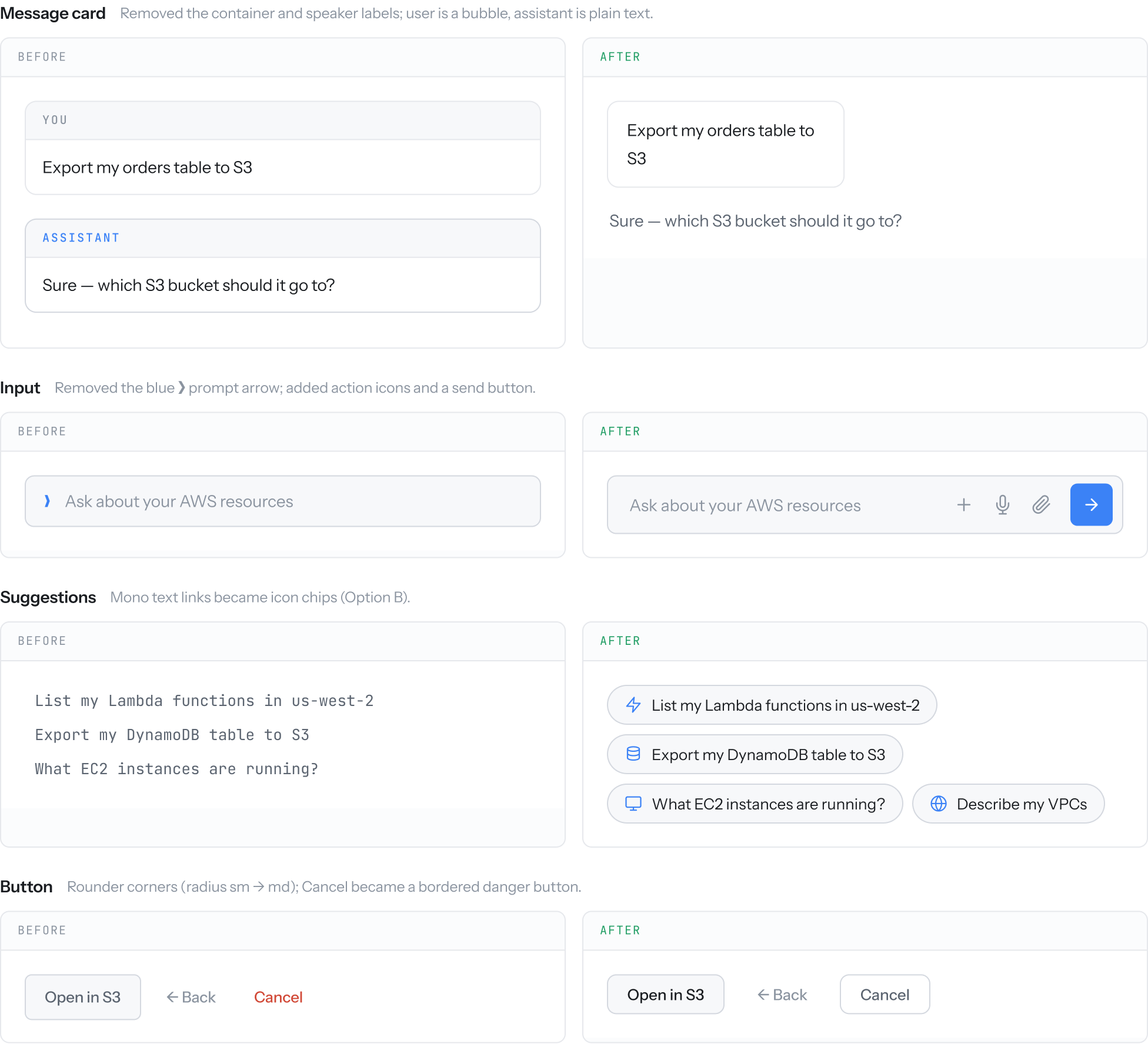
I determined the component-level details, removing unnecessary borders, decorative elements, and decorative text, and aligning the color with AWS branding. The before and after show the same interface with the distraction stripped out, so attention stays on the conversation and the workflow.
04Outcome
An intuitive agentic app that lives on top of the existing console, making AWS purpose-driven for newcomers and more efficient for power users.
A flexible layout that matches how customers think
The layout maps to the customer's mental model and journey, reading left to right. Power users stay in the CLI and SDK panel on the left. New and casual customers work in the chat panel in the middle, stating a purpose in natural language. Both meet in the review panel on the right to check status, output, and next steps before anything runs. Every panel expands, collapses, and rearranges, so customers can shape the workspace around the way they work.
Designed for light and dark
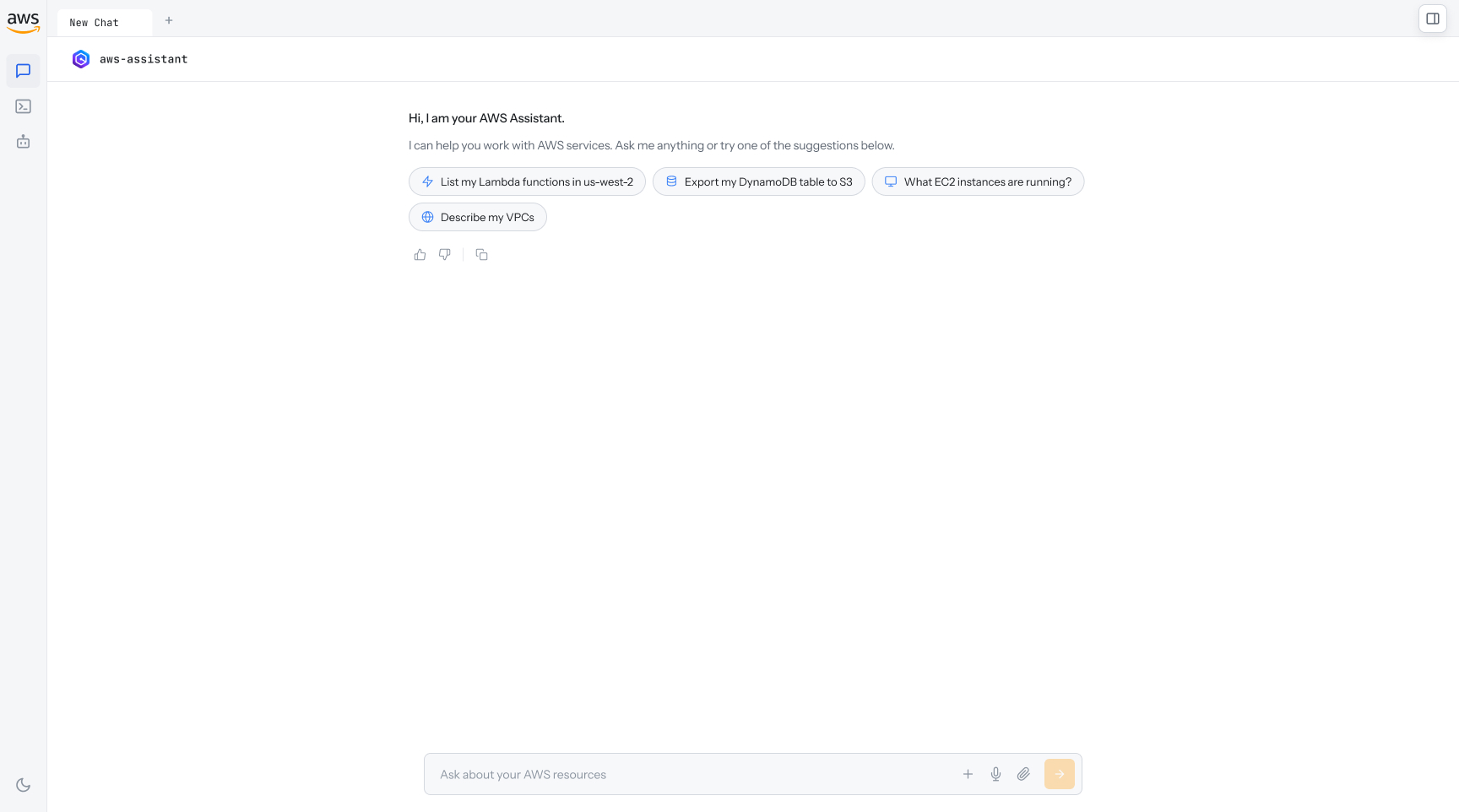
The full experience ships in both light and dark mode, built on the AWS design system so it stays consistent with the rest of the console.
Purpose-driven, not service-driven
Customers complete tasks by stating what they want to do, not by knowing which service to open first. The chat experience reads their intent, proposes the steps, and carries the work through to completion.
When the path exists, customers work by intent, not service by service. In the first month, 1,000+ workflows ran through the assistant and customers completed tasks 20% faster. Every new workflow that onboards compounds the agentic experience.
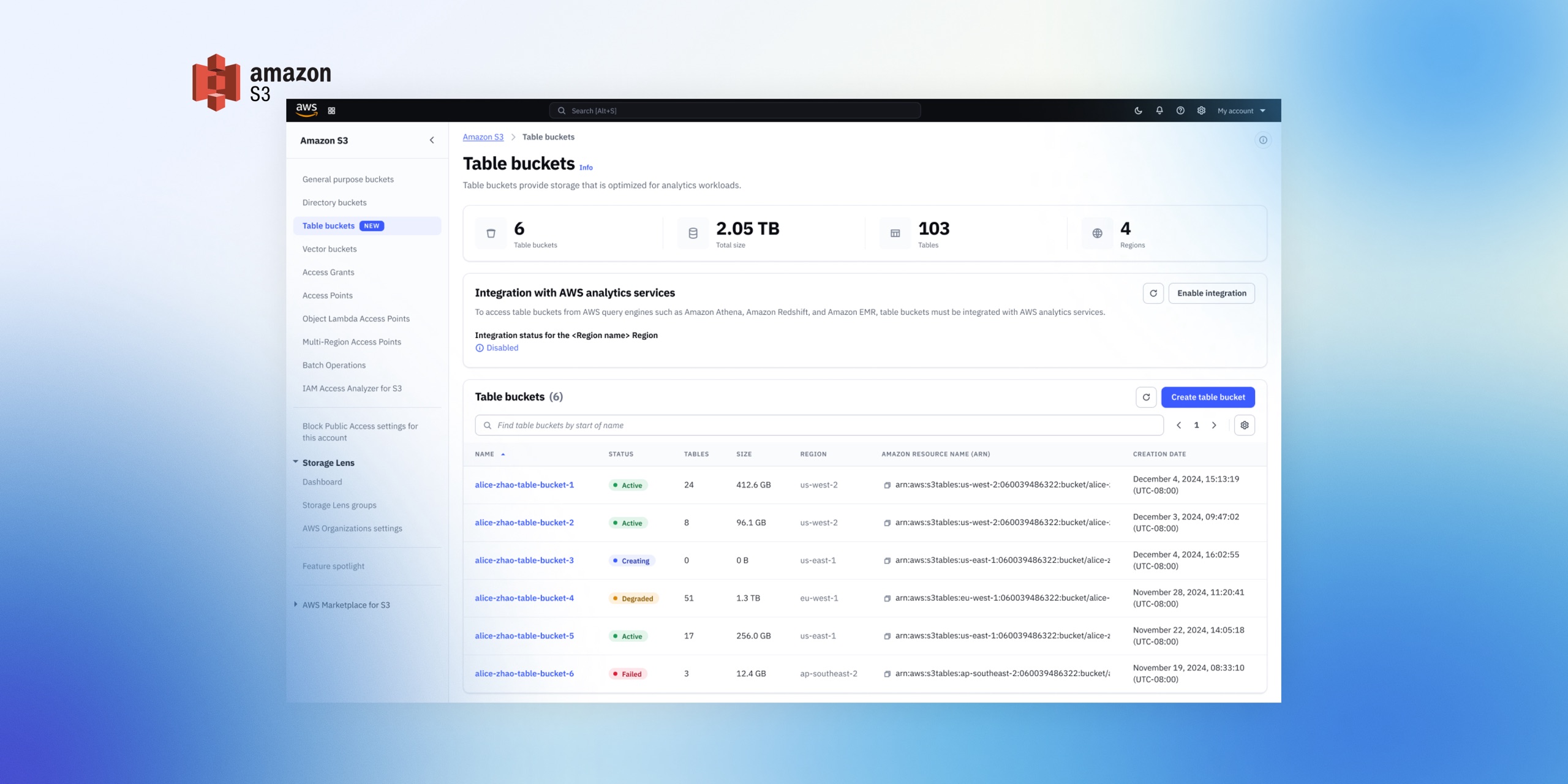
AWS S3 Tables: turn big data into insights in one click
I led the UX for S3 Tables, shaping its core user experience, from concept to launch in 8 weeks, resulting in 500+ TB stored in the first 6 months.
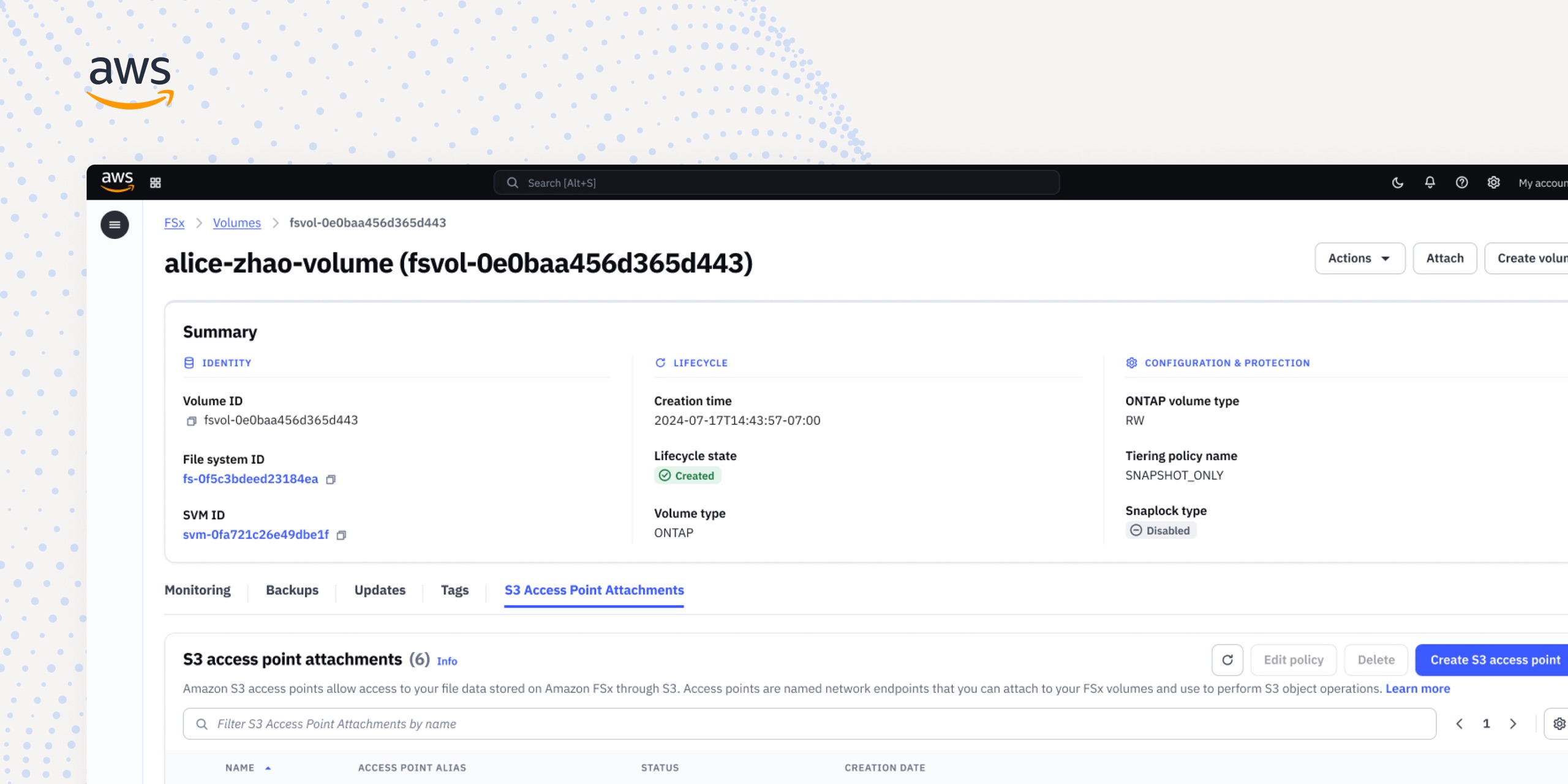
Simplifying data access: Unifying 3 endpoint products into 1
As sole designer, I led and delivered the design that merged 3 storage services into one, cutting months of setup to minutes.